How to Keep Retail and Shopping Center Terminals On-Task with Kiosk Mode?
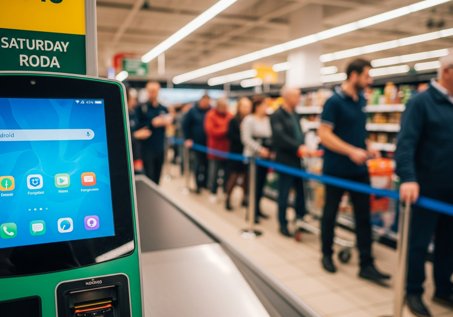
Picture this: it's Saturday afternoon, your busiest hour. A customer walks up to your self-checkout terminal, accidentally swipes the wrong way, and suddenly the screen is sitting on the Android home screen. The queue builds. Your staff scramble. Someone has to call IT.
This kind of problem is more common than it should be, and it rarely has anything to do with the hardware. The real issue is that the device was never locked into business mode in the first place. Kiosk mode is a device management setting that restricts a terminal to only the apps and content you approve, hiding every other system entry point from view.
This guide covers what kiosk mode can actually do for retail and shopping center environments, and how to choose the right setup for your terminals.
1What's Actually Going Wrong With Retail Terminals?
Most terminal problems fall into one of three categories. Each one is preventable.
Accidental Exits From the Business Screen
Customers and staff interact with your terminals in ways you can't always predict. A swipe in the wrong direction, a long press, or a tap on an unexpected notification can pull the device out of your business app and into the system desktop. From there, the terminal is effectively out of service until someone manually restores it.
During a lunch rush or a weekend sale, even a few minutes of downtime at a self-ordering station can mean lost transactions and a line of frustrated customers.
System Interruptions You Didn't Plan For
Operating systems are designed to keep users informed: software update prompts, incoming call notifications, low battery warnings, background app alerts. On a consumer device running unmanaged, all of these can surface at any time.
A navigation kiosk in a shopping center that suddenly displays a system update prompt during peak hours isn't just inconvenient. It tells your visitors that nobody is watching the store, so to speak.
Maintenance Costs That Don't Scale
For a single-location business, device issues are manageable. For a retail chain running 30, 50, or 200 locations, every unplanned on-site visit adds up fast. Travel time, technician hours, and the revenue lost during downtime make reactive maintenance one of the most expensive line items in retail IT.
According to industry research, the average cost of unplanned IT downtime for retail businesses can exceed several thousand dollars per hour—and for some enterprises, this figure can soar to over $300,000 per hour—when factoring in lost sales, staff disruption, and recovery time.
2What Can Kiosk Mode Do for Retail and Shopping Centers?
Your Terminals Stay Focused, No Matter What
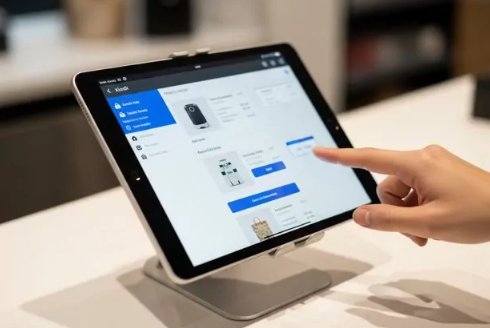
Kiosk mode locks a device into a defined set of apps or a single app. With a whitelist in place, there's no system tray to swipe into, no home button that leads anywhere useful, and no way for a customer to accidentally exit your point-of-sale interface.
For a self-checkout terminal, this means the screen stays on your payment app from open to close. For a directory kiosk in a shopping center, visitors get the navigation tool and nothing else. IT teams spend less time fielding emergency calls, and store managers stop fielding complaints about screens showing the wrong thing at the wrong time.
Security Risks Go Down Across Every Location
An unmanaged device is an open door. Staff can install unauthorized apps, connect unauthorized USB devices, or enable developer mode without IT ever knowing. In a retail environment where devices handle payment processing or customer data, that's a serious liability.
Kiosk mode, paired with a mobile device management platform like AirDroid Business, lets you block app installations from unknown sources, restrict USB access, and disable developer mode across your entire fleet from a single dashboard. If a device is lost or stolen, you can remotely lock it or wipe it entirely, though it's worth noting that a remote wipe is permanent and irreversible.
IBM's Cost of a Data Breach Report consistently shows that retail is one of the most targeted industries for data breaches, with the average cost per incident climbing to $3.54 million in 2025. Reducing the number of entry points on your managed devices—such as blocking unauthorized USB access and restricting app installations—is one of the most straightforward ways to lower this exposure.
Every Store Looks and Feels the Same
Inconsistency across locations is a brand problem as much as a technical one. When a customer visits your flagship store and then walks into a smaller location, they expect the same experience. If one terminal runs your branded interface and another shows a cluttered home screen with a dozen unrelated apps visible, that gap is noticeable.
Kiosk mode enforces a consistent interface across every device in your fleet. New store openings become faster too. Instead of having a technician configure each terminal by hand, you push a standardized profile from your management console and the device is ready to go. Staff turnover stops being a configuration risk.
Your IT Team Can Manage More With Less
The real value of kiosk mode in a multi-location environment isn't just what it prevents. It's what it makes possible.
With a platform like AirDroid Business, your IT team can monitor every terminal in your network from a central dashboard. If a device goes offline, an alert fires automatically. If a kiosk exits its locked mode unexpectedly, the team knows within minutes and can investigate remotely, often resolving the issue without anyone traveling to the store. Automated workflows can handle routine tasks like pushing app updates or restarting devices on a schedule.
A team of three IT staff managing 150 locations is only realistic if the tools do most of the heavy lifting. Kiosk mode, combined with remote management, is what makes that ratio workable.
3How AirDroid Business Makes This Work in Practice
AirDroid Business is a mobile device management platform built for multi-location retail and commercial deployments. The kiosk configuration is one piece of it. Here's what the platform actually gives your IT team once devices are enrolled:
Capability | What it means in practice |
|---|---|
| Remote Control & Observation | Take control of a terminal screen remotely or watch a live view without interrupting the session. Remote Camera lets you verify the physical environment (e.g. confirm a device is still mounted) without sending anyone on-site. |
| Alerts & Automated Workflows | Set triggers on device offline, low storage, app crash, or kiosk exit. Automated responses include restart, clear cache, bring app to foreground, or switch kiosk profile. Alerts fire to your console or by email so nothing goes unnoticed. |
| Kiosk Browser & Website Whitelist | For web-based operations, lock the built-in browser to approved URLs only. Hide the address bar, disable new tabs, and block any navigation outside your defined domain list. Ideal for Web POS, intake forms, or member registration terminals. |
| Device Policies | Enforce restrictions fleet-wide: block installs from unknown sources, prevent app uninstalls, disable USB file transfer and debugging, and lock down developer options. Note that most of these policies require Device Owner enrollment (Android Enterprise). |
Most of the policy-level controls listed above require devices to be enrolled in Device Owner mode via Android Enterprise. If your current devices aren't enrolled this way, that's worth confirming before your POC, as it affects which restrictions you can actually enforce.
4How Do You Choose the Right Kiosk Setup?
AirDroid Business is a mobile device management platform built for exactly this kind of environment: multi-location retail, shopping centers, and commercial deployments where devices need to stay reliable and managed at scale. Here's how the three main kiosk configurations map to common retail scenarios.
Your situation | Recommended setup |
|---|---|
| Single app, unattended terminal (self-checkout, kiosk, signage) | Single-App Kiosk |
| Staff devices that need 2-3 work apps | Multi-App Kiosk |
Single-App Kiosk
This is the most restrictive configuration and the right choice for any terminal that runs one job. Self-ordering machines, self-checkout stations, wayfinding kiosks, and digital advertising displays all fit here.
The device boots directly into your chosen app. There's no way out for the end user, which is exactly the point. A fast-food chain's ordering terminal, for example, shows the menu app and nothing else. Customers order, pay, and leave, without the device ever exposing a system setting.
Multi-App Kiosk
Some staff-facing devices need more flexibility. A retail associate might need access to an inventory lookup tool, an internal messaging app, and a POS helper screen, but they don't need access to anything else.
Multi-app kiosk mode creates a controlled environment where only your approved apps are accessible. Staff can switch between them freely, but the rest of the device's OS stays out of reach. It's a practical balance between usability and control.
Browser Kiosk for Web-Based Operations
Not every retail operation runs on native apps. Web-based POS systems, membership registration forms, and customer survey tools all live in a browser. Browser kiosk mode handles this by locking the device to a specific set of approved URLs.
A shopping center's membership sign-up terminal, for instance, can be configured to only open the brand's registration page. The address bar is hidden, external links don't work, and the customer sees exactly what you intend them to see.
Rolling Out Without Disrupting Your Stores
The safest way to deploy kiosk mode across a large fleet is in stages. Start with a test group of a handful of devices, confirm that the configuration works as expected, then expand to a pilot group of stores before pushing to your full network. AirDroid Business lets you manage this from the console without touching individual devices, so your stores stay operational throughout the process.
5Ready to Lock Down Your Terminals?
Kiosk mode isn't about restricting what your devices can do. It's about making sure they do exactly what you need them to do, every time, without interruption. For retail teams managing multiple locations, it's one of the most practical changes you can make to reduce IT overhead and keep the customer experience consistent.
Stop losing sales to terminals that go off-task.
AirDroid Business lets you lock every kiosk, self-checkout, and display into kiosk mode and manage them all from one console — no on-site visits required. Keep every location secure, consistent, and running without interruption.
FAQs


Leave a Reply.