How Can Restaurants Manage Kiosks More Efficiently?
Are you looking for a restaurant kiosk management solution that won't crash during lunch rush?
We're AirDroid Business, and we've helped over 1,000 restaurants and food service companies manage their kiosks globally. Here's what most people get wrong: they think a kiosk solution is just hardware and software.
A complete restaurant kiosk management solution has three layers—hardware, ordering software, and a management platform. Miss one layer, and you're looking at constant downtime and frustrated customers.
In this guide, you'll learn the 3 essential components, how to choose based on your restaurant size, and why MDM cuts operational costs.
1What Should a Restaurant Kiosk Management Solution Actually Include?
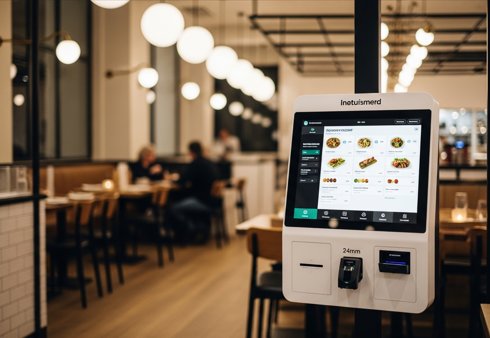
A restaurant kiosk management solution is a three-layer system that combines hardware terminals, ordering software, and a central management platform.
- Hardware (The Body): Touch-screen kiosks or tablets that handle customer interactions and payments.
- Software (The Brain): The ordering application that displays menus, processes transactions, and sends orders to the kitchen.
- Management System (The Nervous System): The MDM platform that locks down devices, pushes updates remotely, and fixes issues without on-site visits.
Many restaurants invest in great hardware and slick ordering software but skip the management layer. Then they wonder why kiosks freeze every other week.
All three layers create a closed loop: hardware captures input, software processes orders, and management keeps both running 24/7 without human intervention.
2What Makes a Restaurant Kiosk System Actually Work?
1Hardware Terminal — The Physical Foundation
Hardware is where customers touch your brand. It needs to survive 1,000+ taps per day without breaking down.
Key capabilities:
- Touch responsiveness under 50ms reduces wait time by 30%. Industrial-grade capacitive screens respond instantly, even with wet or gloved fingers.
- Multi-peripheral support means one device handles ordering, printing, and payments through USB or Bluetooth connections.
- Industrial-grade durability (IP54 rating) survives kitchen grease and constant use. Consumer tablets die in 6 months. Commercial kiosks last 5+ years.
- 24/7 stable operation without overheating during dinner rush. Commercial processors prevent slowdowns when 50 customers order simultaneously.
Best hardware picks: Elo Touch for enterprise chains, Samsung Knox tablets for mid-sized restaurants, and Acrelec for QSR deployments.
2Ordering Software — The Business Logic Engine
Ordering software turns customer taps into kitchen orders.
Core capabilities:
- Real-time menu syncing means sold-out items disappear instantly across all kiosks. When the kitchen runs out of salmon, the item grays out everywhere within seconds.
- Payment integration accepts credit cards, Apple Pay, Google Pay, and QR codes in one flow. The software tokenizes payment data without storing sensitive card numbers locally.
- Multi-language support serves diverse customers. One kiosk displays menus in English, Spanish, Mandarin, and Arabic.
- Promotion engine upsells combos automatically. When a customer adds a burger, the software suggests fries and a drink at a discount. This increases average ticket size by 15-20%.
- Kitchen routing sends drinks to the bar and entrees to the grill, preventing bottlenecks.
Top software picks: Aigens for global chains, Square for 1-10 locations, Oracle Simphony for 100+ locations.
3Central Management System — The Control Tower
The management system is the brain of your kiosk operation. This is the layer most restaurants skip—and regret later.
Key capabilities:
- Kiosk Mode locks the device so customers can't exit the ordering app or browse websites. It disables all system buttons and restricts access to a single app.
- Remote Desktop Control lets you fix a frozen screen from your office in under 2 minutes. Your IT team logs in remotely, restarts the app, and the customer continues ordering.
- Silent Updates push new menus to 100 kiosks overnight with zero downtime. You update pricing at 2 AM, and every kiosk displays new prices at 11 AM.
- Device Health Monitoring alerts you before a kiosk runs out of storage or overheats. Proactive alerts prevent 80% of downtime incidents.
- Security Policies block USB drives and unauthorized apps. Employees can't plug in USB drives to steal payment logs. Malware can't be installed.
- Remote fixes save you $200+ per incident versus on-site visits. For a 50-location chain, that's $120,000 saved annually.
Why AirDroid Business is the best MDM for Android kiosks:
- 1-minute bulk deployment sets up 50 kiosks in one go. Upload your config file, scan a QR code, and devices auto-configure.
- Android Enterprise zero-touch enrollment works out of the box. Devices arrive pre-installed and locked in Kiosk Mode.
- Simple remote control that non-technical staff can use. Restaurant managers fix frozen kiosks by clicking "Restart App."
- Kiosk Mode setup takes 30 seconds. Select your app, choose mode, click Save. Competitors require XML editing.
- Tiered permissions let you assign different access levels. Corporate controls global settings. Regional managers manage their territory only.
- Pricing starts at $1 per device per month. Free tier for up to 200 devices.
One limitation: AirDroid specializes in Android and Windows. If you run entirely on iPads, you'll need Jamf or Kandji instead.
3How Do I Choose a Restaurant Kiosk Management Solution?
Your choice depends on three things: restaurant size, IT capability, and budget.
Small & Medium Restaurants (1-10 Locations)
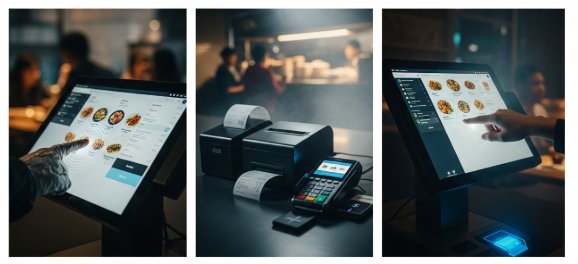
Choose an all-in-one MSP package. MSPs like Toast, Square, or Lightspeed bundle hardware, software, and management into one monthly fee ($150-$300 per kiosk).
Watch for hidden costs: installation fees ($500-1,000), training ($100/hour), and undisclosed maintenance contracts.
Start with 2 kiosks in your busiest location. Measure ROI for 3 months. If your average ticket increases by 15%+, expand.
Large Restaurant Chains (10+ Locations)
- Option 1: Have custom ordering software? Add AirDroid Business for device management. It costs under $5 per device monthly at scale.
- Option 2: No custom software? Buy components separately. Example: Aigens for ordering software + AirDroid for MDM + Elo hardware.
Ensure your software and MDM integrate via API. Pilot in 5 stores, optimize, then roll out to 50+ locations.
Software Vendors & MSPs
Add AirDroid Business as your infrastructure layer. It cuts support costs by 80%—no more on-site visits for freezes.
4Why Is an MDM System Critical for Kiosk Success?
Here's a real story from one of AirDroid Business's customers.
A food service company delivers supplies to 200+ restaurants across three states. Their drivers use Zebra TC57 scanners and Samsung tablets to confirm deliveries. Before they had MDM, updating the delivery app meant recalling ALL devices to the warehouse. Pulling 150 drivers off the road cost them $12,000 in lost delivery time—per update. They updated twice monthly.
Drivers accidentally exited the delivery app and started browsing YouTube. Some devices went missing with no GPS tracking. One driver left a $1,200 scanner at a restaurant 60 miles away—never recovered.
Then they switched to AirDroid Business MDM.
Within 30 days:
- App updates happened silently overnight (zero downtime)
- Kiosk Mode locked devices to the delivery app only
- Geofencing tracked deliveries in real-time
- Remote control fixed frozen scanners in under 2 minutes
Before: Recall 150 devices = $12,000 lost + 2 days downtime per update.
After: IT pushed updates at 2 AM via AirDroid's AMS. Zero downtime. Updates deployed to 200 devices in 8 minutes.
When a driver's scanner froze mid-delivery, support used Remote Control to restart the app in 90 seconds. The driver completed 12 more deliveries instead of returning to the warehouse.
Kiosk Mode eliminated distractions. Before, 15% of tablets had unauthorized apps—games, social media, sketchy downloads. One driver browsed Facebook for 20 minutes while a restaurant waited for seafood delivery. The restaurant called corporate to complain.
After Kiosk Mode, drivers could only access the delivery app. Zero unauthorized apps. Zero delayed delivery complaints.
Geofencing helped recover lost assets. Before MDM, they lost 8 devices yearly ($9,600 in hardware). After geofencing, alerts triggered when devices left delivery zones. One driver left his scanner 40 miles away. The alert fired immediately. Support called the restaurant and recovered it in 4 hours.
Management used geofencing to optimize routes and cut fuel costs by 12%.
Results after 6 months:
- $48,000 saved annually
- 95% fewer device-related support tickets
- Zero lost devices
- Average issue resolution: 4 hours → 6 minutes
This is why MDM isn't optional—it's the backbone of any device operations at scale.
5Conclusion: Ready to Take Control of Your Kiosk Operation?
Managing restaurant kiosks doesn't have to mean constant firefighting. With the right three-layer system in place, your kiosks run themselves—and your team to spend less time troubleshooting and more time serving customers.
Whether you're running a single location or various sites across the country, the right combination of hardware, ordering software, and MDM makes all the difference.
The food service company featured in this guide saved significantly in their first six months, just by adding the management layer that most restaurants typically omit.
AirDroid Business is the gold standard for restaurants.
AirDroid Business ensures your kiosks never skip a beat during the most chaotic lunch rushes. With enterprise-grade stability and instant remote troubleshooting, it transforms your kiosks from high-maintenance hardware into a reliable, self-sustaining revenue engine.


Leave a Reply.