What is Samsung Knox? The Ultimate Guide to Defense-Grade Mobile Security (2026)
- 1 : What is Samsung Knox? More Than Just an App
- 2 : Why Do Governments and Global Banks Trust Samsung Knox?
- 3 : What is Samsung Knox Used For? (Primary Use Cases)
- 4 : Does Samsung Knox Cost Money? Breaking Down the Tiers
- 5 : Is Samsung Knox Good or Bad? Pros, Cons, and Common Myths
- 6 : How Enterprise Management Works: The Role of Knox Service Plugin (KSP)
- 7 : Where is Samsung Knox on My Phone & How to Enable It?
- 8 : AirDroid Business: The Control Cockpit for Your Samsung Knox Fleet
1What is Samsung Knox? More Than Just an App
In the global digital landscape of 2026, mobile devices are no longer merely tools for personal communication, but have evolved into a convergence point for core corporate assets, confidential government information, and personal digital identities.
As AI-driven attack vectors, early-stage quantum computing threats, and increasingly complex supply-chain infiltration emerge, the primary battlefield of mobile security has shifted from basic software defense to the deep integration of hardware, kernel, and cloud ecosystems. Samsung Knox, a defense system refined over more than a decade, has by 2026 established itself as a global standard-setter in mobile security.
This guide aims to provide an in-depth analysis of Samsung Knox’s technological foundations, industry compliance, enterprise-level deployment strategies, and the latest security innovations introduced in 2026 from a professional architectural perspective.
A Multi-Layered Security Architecture
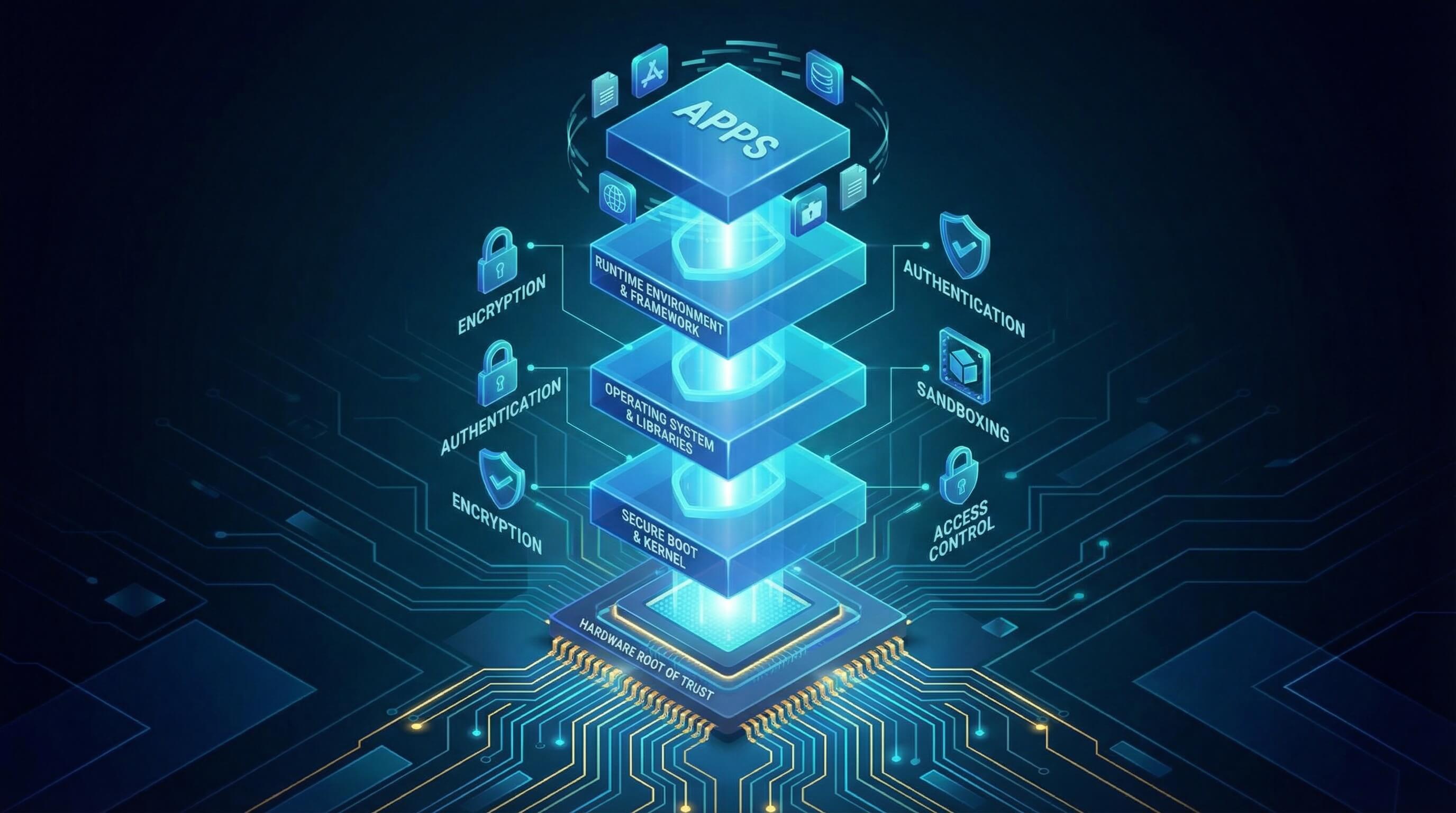
Samsung Knox’s security model adopts a classic defense-in-depth strategy. The architecture is divided into the hardware layer, boot layer, kernel layer, system software layer, and application layer. Each layer establishes trust based on the verification results of the previous layer, forming a robust Trusted Computing Platform.
This design ensures that even if an attacker breaches the outer application sandbox, malicious activity can still be detected and blocked in real time by underlying hardware monitors. By 2026, the Knox architecture has further integrated AI-based defense modules capable of identifying abnormal system call patterns through on-device processing, allowing potential zero-day exploits to be anticipated before they are exploited at scale.
Hardware Root of Trust
All trust originates from hardware. As one of the few manufacturers with in-house capabilities for chip design, memory, and device manufacturing, Samsung is able to inject tamper-resistant cryptographic keys and code directly into the system-on-chip (SoC) before devices leave the production line. This foundation, known as the hardware root of trust, ensures that during every boot and operation cycle, the device can verify its integrity by comparing its current state against the factory-defined baseline.
The table below summarizes the core defensive components of the Samsung Knox hardware layer and the technical logic behind them:
Hardware Root of Trust
Hardware Component | Technical Term | Security Function | Core Mechanism |
|---|---|---|---|
| Boot ROM | Bootloader ROM | First step in verifying the boot chain | Resides in chip-level read-only memory and cannot be modified by software |
| Hardware Encryption Module | DUHK | Device-unique hardware key | Programmed at the factory to permanently bind data to specific physical hardware |
| Secure Boot Key | SSBK | Samsung Secure Boot Key | Stored in one-time programmable fuses (Fuse) and used for signature verification |
| Warranty Fuse | Knox Warranty Bit | Physical tamper evidence | Once an unofficial image is detected, the physical circuit is permanently blown |
Samsung TEE (Trusted Execution Environment)
Samsung Knox leverages ARM TrustZone technology to create two physically isolated execution environments within the main processor: the Normal World and the Secure World.
The Normal World runs the standard Android operating system, drivers, and most user applications, while the Secure World runs Samsung’s proprietary microkernel system responsible for the most sensitive operations. These include, but are not limited to, fingerprint data processing, lock-screen password verification, and cryptographic key generation.
The strength of this design lies in the fact that even if the Android kernel in the Normal World is fully compromised with root-level access, attackers still cannot directly access or interfere with sensitive memory regions within the Secure World.
Samsung Knox Vault: The Peak of Physical Isolation in 2026

If TrustZone represents logical isolation at the software level, then Knox Vault is the ultimate form of true physical isolation in Galaxy devices as of 2026. Knox Vault is a fully independent, tamper-resistant subsystem with its own dedicated processor, SRAM (static random-access memory), and a secure storage interface that is physically separated from the main system.
Knox Vault provides the following core security protections:
- 1. Resistance to side-channel attacks: With its own independent processor, it effectively defends against software-based side-channel attacks that exploit shared resources such as CPU caches or branch predictors.
- 2. Environmental sensor protection: The Vault subsystem is equipped with multiple security sensors, including laser detection, voltage anomaly detection, and extreme temperature sensors. If physical intrusion attempts—such as micro-probing or voltage attacks—are detected, the Vault immediately locks down and triggers cryptographic key self-destruction.
- 3. Sensitive credential storage: Samsung stores blockchain private keys, biometric hash values, hardware-backed Android Keystore keys, and device health attestation keys (SAK) within this physical security enclave.
Software Protection: Real-time Kernel (RKP) & Data Isolation
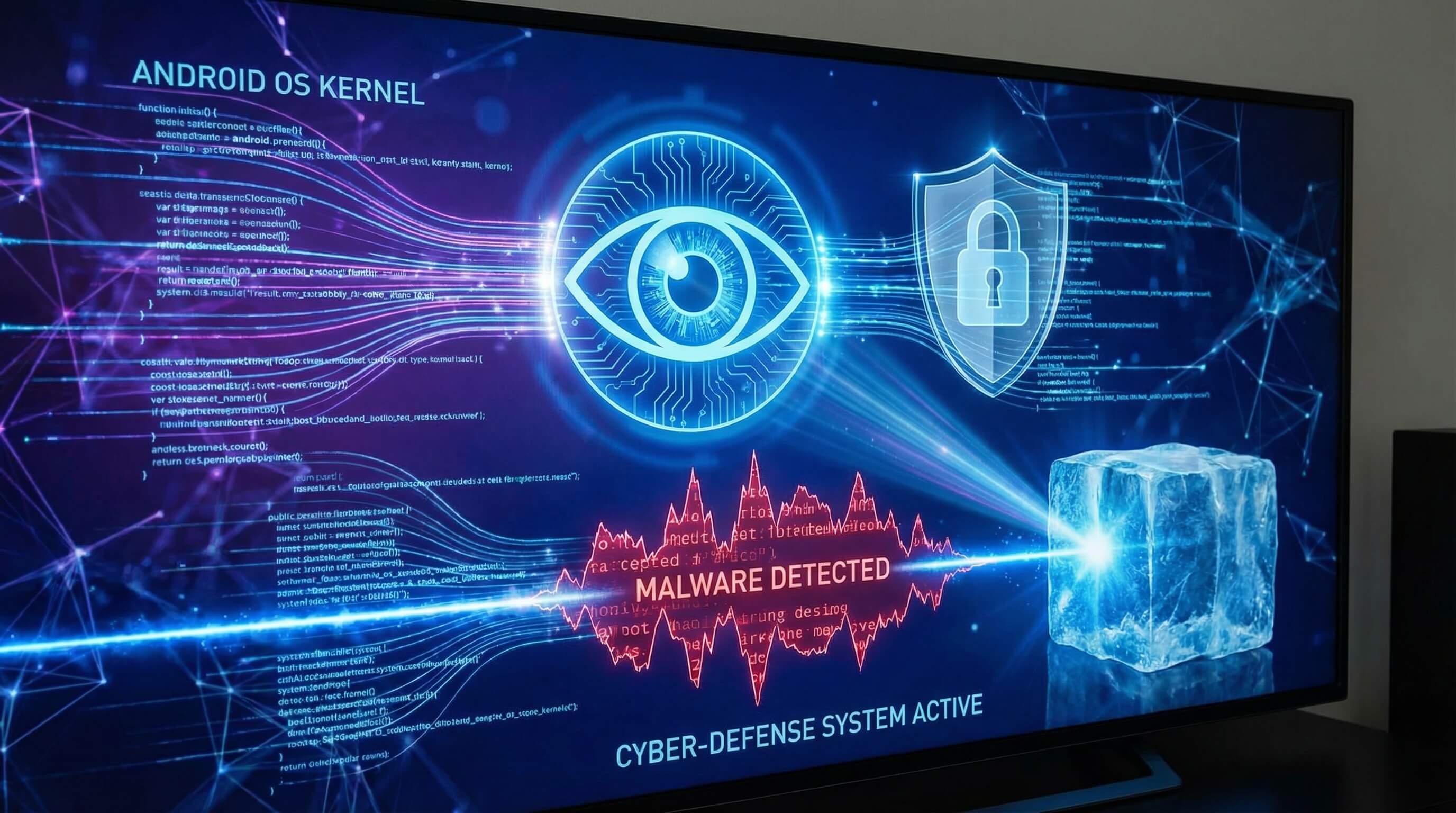
Once the system has booted and entered the runtime stage, the greatest risk comes from kernel-level attacks. The kernel holds the highest privileges within the operating system; if it is compromised, attackers can freely bypass application sandboxes and steal data.
Samsung Knox’s patented Real-Time Kernel Protection (RKP) is a core defense against this threat. RKP runs in an isolated execution environment (such as a hypervisor or the Secure World) and prevents malicious tampering by continuously monitoring kernel behavior in the Normal World. Rather than relying on simple signature checks, RKP employs the following advanced interception techniques:
- Memory translation table interception: The kernel is stripped of direct permission to modify memory page tables. When it needs to mark memory as “executable” or “writable,” it must request approval from RKP, which verifies whether the operation is part of legitimate code execution.
- Control instruction emulation: Certain critical system control instructions are removed from the kernel’s normal execution path and can only be executed through RKP emulation, significantly reducing the attack surface for Return-Oriented Programming (ROP) exploits.
- Data isolation with SDP: In conjunction with the Sensitive Data Protection (SDP) mechanism, Knox ensures that even when a device is unlocked, specific sensitive data—such as enterprise email attachments—remains encrypted while idle and is decrypted only momentarily when accessed by authorized, compliant applications.
2Why Do Governments and Global Banks Trust Samsung Knox?
Globally, Samsung devices are authorized to handle a wide range of sensitive information, including data classified as “Top Secret.”
This level of trust is not derived from brand reputation alone, but is built on more than a decade of continuous compliance development and recognized certifications from authoritative institutions.
Military-Grade Compliance & Certifications
Samsung Knox has obtained high-level certifications from major global economies and military organizations. By 2026, these certifications have become a key benchmark for determining whether mobile devices are qualified for use in highly regulated industries such as finance, healthcare, and public safety.
The table below lists the key certifications achieved by the Knox security framework and their significance across different industries:
Military-Grade Compliance and Authoritative Certifications
Certification Name | Issuing / Evaluating Authority | Technical Coverage | Core Value |
|---|---|---|---|
| Common Criteria (CC) | NIAP, International Standard | Operating system, cryptographic libraries, kernel, VPN | A security benchmark recognized by 31 countries worldwide |
| FIPS 140-3 | NIST (U.S. / Canada) | Cryptographic modules and their implementation logic | Ensures encryption algorithms are secure at both mathematical and physical levels |
| STIGs | DISA (U.S. Department of Defense) | System hardening policies and configuration guidelines | Allows devices to connect to U.S. Department of Defense sensitive networks |
| CSfC | NSA (U.S. National Security Agency) | Commercial solutions for classified information | Supports dual-layer encryption (DualDAR) for handling top-secret data |
| BSI VS-NfD | German Federal Office for Information Security | Native Knox security solutions | Authorizes German government officials to process restricted-level sensitive documents |
The History of Evolution
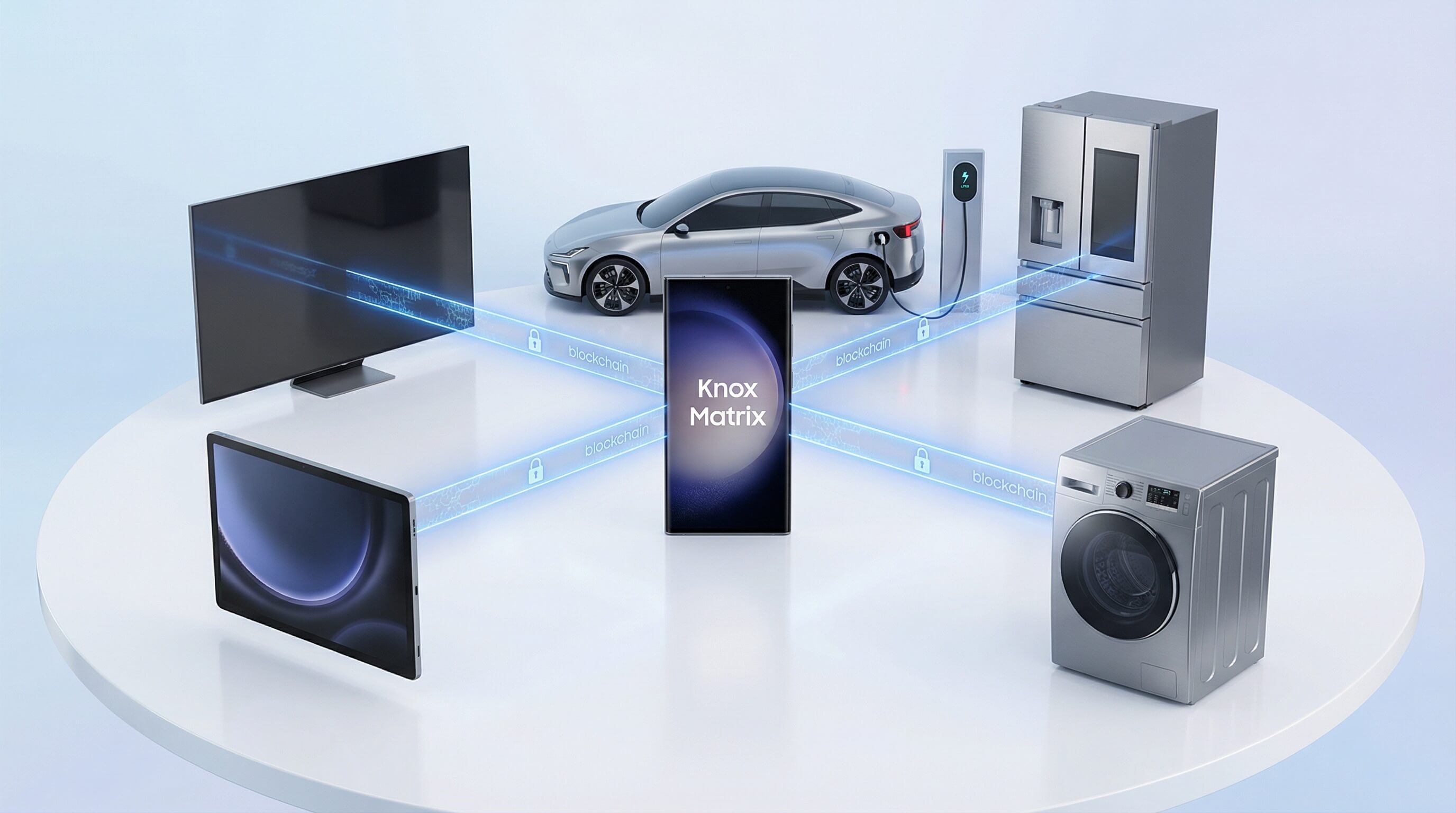
The history of Samsung Knox is an evolution from a single sandbox solution to a full security ecosystem.
- 2013 (Knox 1.0): Initially launched as a containerization technology, Knox focused on simple environment separation between enterprise and personal applications, supporting the emerging BYOD (Bring Your Own Device) trend at the time.
- 2017–2020 (Early Knox Suite phase): Samsung recognized that enterprises needed not only on-device security but also full lifecycle management. Cloud services such as Knox Mobile Enrollment (KME) and Knox Manage were introduced, marking Samsung’s shift from a pure hardware manufacturer to a software and services provider.
- 2023–2026 (Knox Matrix and Zero Trust): By 2026, the Knox vision expanded into Knox Matrix—a blockchain-based, cross-device trust network. Within this ecosystem, smartphones, smart TVs, home appliances, and even vehicles can verify each other’s security status, forming a unified defense shield. At the same time, the Knox Zero Trust Framework, built on Android 14, ensures that only continuously verified access requests are allowed to reach data resources.
3What is Samsung Knox Used For? (Primary Use Cases)
Based on market research in 2026, Knox has permeated every aspect of personal life and enterprise operations, with its core value lying in an uncompromising balance between productivity and security.
For Personal Users: Secure Folder & Privacy
For individual Galaxy users, the most visible manifestation of Knox is Secure Folder.
- Complete isolation: Secure Folder is not just an encrypted folder; it operates as a separate execution domain. Applications running inside it are fully isolated from the main system, allowing users to run a second instance of apps—such as a private messaging account or photo gallery—without any data crossover.
- Privacy permission hub: In 2026, One UI 8.5 further enhances permission transparency, enabling users to see in real time which apps are accessing the camera or location data, while Knox hardware enforcement blocks any unauthorized background access.
- Anti-theft lock and wipe: If a device is lost, users can issue Knox commands through the cloud to perform a deep wipe, ensuring that even forced physical extraction of flash storage cannot expose encrypted personal files.
For Enterprises: Security, Management, and Compliance
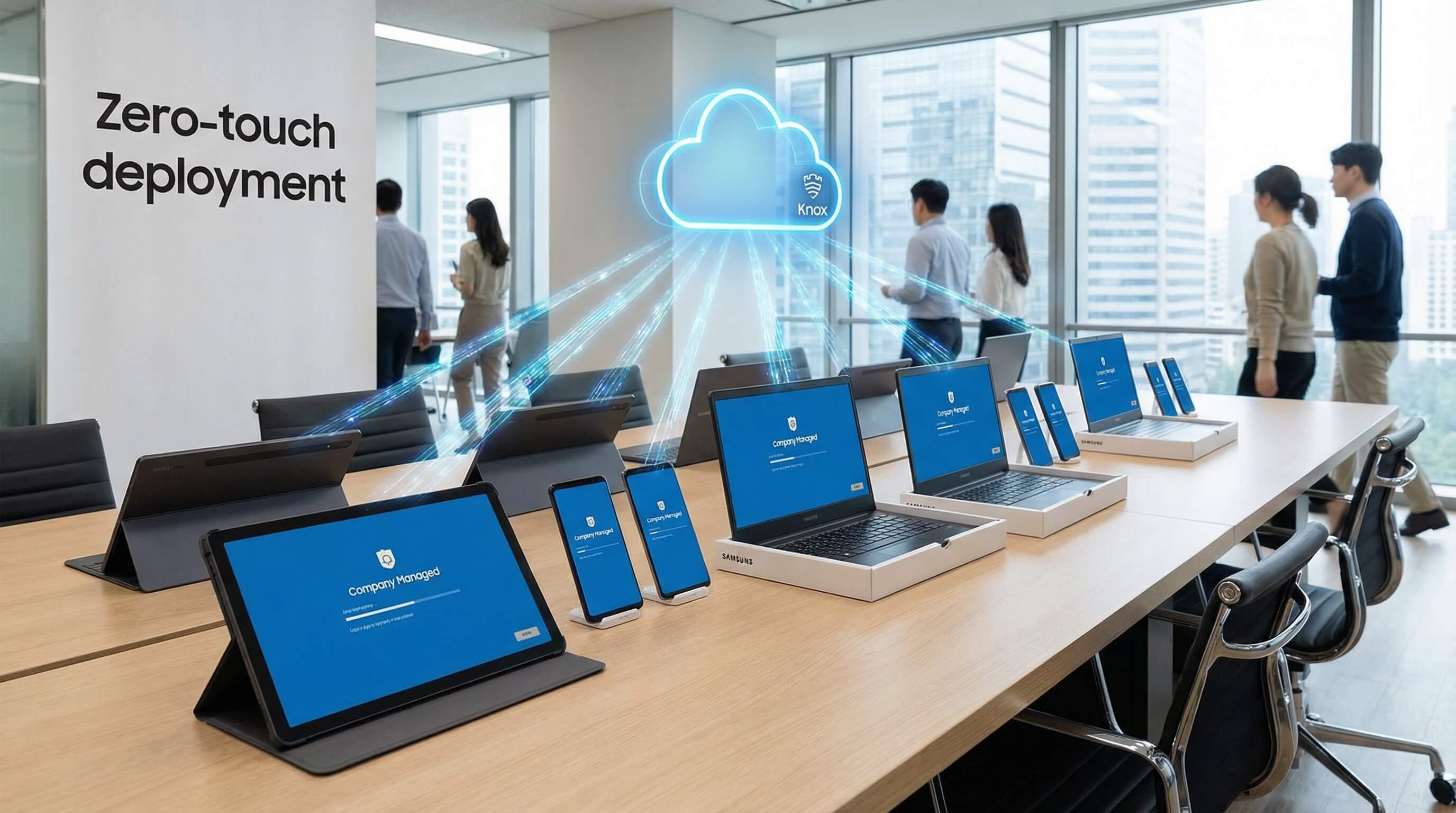
In enterprise environments, Knox addresses one of the most challenging issues for IT administrators: large-scale management of heterogeneous devices.
- Fully automated deployment (Zero Touch): Through Knox Mobile Enrollment (KME), enterprise-purchased devices automatically pull management profiles from Samsung servers upon first boot and network connection, enforcing the installation of enterprise EMM agents without the need for manual, one-by-one configuration by IT staff.
- Application separation and management (Separated Apps): Organizations can define which applications are business-related and isolate them within a managed Work Profile. When an employee leaves, or a device is lost, IT can wipe only the corporate data while preserving personal photos and apps, ensuring true respect for employee privacy.
- On-device intelligent analytics: With Knox Asset Intelligence (KAI), IT teams gain real-time insights into fleet-wide battery health, Wi-Fi stability, and application crash statistics (ANR/FC), enabling proactive maintenance before issues occur.
Streamline Your Knox Fleet Deployment
Don't let manual configuration slow you down. Seamlessly integrate with Knox Mobile Enrollment (KME) to automate device provisioning, enforce Work Profiles, and gain real-time asset intelligence across your entire enterprise fleet instantly.
4Does Samsung Knox Cost Money? Breaking Down the Tiers
Samsung Knox’s pricing model underwent a major adjustment in 2025, aiming to meet the needs of businesses of different sizes through a more flexible subscription-based approach.
Free vs. Paid Knox Solutions: What’s the Difference?
A common misconception is that “Knox is paid.” In fact, the underlying hardware security capabilities and basic personal features are bundled with the device hardware at no additional cost.
The table below provides a detailed comparison of the different Knox tiers:
Knox Level | Pricing Model | Core Features Included | Typical Scenarios |
|---|---|---|---|
| Knox Platform (Native) | Free with hardware | Hardware root of trust, RKP, Secure Folder, basic permission management | Individual users, small BYOD environments |
| Knox Suite Basic | Free with enterprise hardware | Knox Mobile Enrollment (KME), KPE Basic | Device enrollment and basic security reinforcement for SMBs |
| Knox Suite Premium | Annual per-device subscription | Knox Manage, Knox Remote Support, full KPE | Enterprises requiring cross-platform EMM management and real-time remote technical support |
| Knox Suite Enterprise | Top-tier subscription | Knox Asset Intelligence (KAI), Knox E-FOTA, advanced analytics | Organizations such as logistics and finance that have strict requirements for firmware version control and asset analysis |
It is worth noting that Samsung’s Galaxy Enterprise Edition devices typically include one to two years of Knox Suite subscription, offering government and enterprise customers a one-stop hardware-and-software bundled solution.
5Is Samsung Knox Good or Bad? Pros, Cons, and Common Myths
As an extremely complex security system, Knox has been interpreted and debated in various ways in the market. This section provides an objective assessment based on the technological landscape of 2026.
Pros
- Hardware-level deep integration: Compared with third-party security tools that operate only at the software level, Knox leverages chip-level fuses and isolated processors, providing a natural advantage in defending against advanced persistent threats (APTs)
- Full lifecycle coverage: From out-of-box automatic enrollment to secure wiping before device decommissioning, Knox offers a complete closed-loop toolset, significantly reducing IT operational costs
- Zero-day vulnerability defense: Real-time Kernel Protection (RKP) technology enables Knox to block unknown exploit attacks through behavioral interception, without relying on virus database updates
Cons
- Ecosystem lock-in: Knox’s core advanced features work best only on Samsung Galaxy devices. Although Knox Manage can manage iOS and other Android devices, it cannot provide the same level of hardware protection.
- Configuration complexity: For junior IT staff, the 1,500+ API interfaces and complex policy stacks in Knox Suite may require a long learning curve.
- Unfriendly to tech enthusiasts: Strict security restrictions mean users cannot root devices or flash custom firmware while keeping Knox active.
The "Knox Trip" (e-Fuse): What Happens if You Root Your Device?
This is one of the most discussed topics in the tech community. To ensure absolute integrity of enterprise data, Samsung has designed a physical fuse in the hardware (Knox Warranty Bit).
- 1. Physical trigger: Once a user unlocks the bootloader or attempts to flash an unsigned kernel, specific bits in the hardware are physically blown. This is commonly referred to as the “Knox Trip.”
- 2. Irreversible: After this state changes from 0x0 to 0x1, it cannot be physically restored. Even if the device is flashed back to the original firmware, the flag remains permanently, signaling that the device has lost its hardware trustworthiness.
- 3. Service deactivation: After the fuse is triggered, all services relying on the hardware root of trust are permanently disabled. This includes Samsung Pay (due to inability to guarantee a secure transaction environment), Secure Folder (as decryption keys are erased), and all Knox container data. In 2026, even certain banking apps with extremely high integrity requirements may use the Knox Attestation API to detect this bit and refuse to run.
6How Enterprise Management Works: The Role of Knox Service Plugin (KSP)
In the field of mobile management in 2026, the OEMConfig protocol has become mainstream, and the Samsung Knox Service Plugin (KSP) serves as its ultimate implementation.
Samsung OEMConfig (KSP) Explained
Traditionally, whenever Samsung introduces new hardware features (such as the special side button on the S26), EMM vendors (like Microsoft Intune or VMware) would need months to develop the corresponding API interfaces. KSP completely eliminates this delay.
KSP is essentially an app directly maintained by Samsung and published on the Managed Google Play Store. It acts as a “translator” between the EMM and Samsung hardware. EMM vendors only need to support the standard OEMConfig framework to immediately access all of Samsung’s advanced features.
Zero-Day Support for New Features
With KSP, IT administrators can see all proprietary configuration options of the Galaxy S26 in their management console on day one of its release. This includes access restrictions for new AI models, customized layouts for DeX mode, and enforcement of the latest FIPS standards.
The table below illustrates examples of advanced controls achievable through KSP:
Control Category | Specific Policy Example | Business Value |
|---|---|---|
| Network Security | Enforce per-app VPN | Ensure office apps use the corporate encrypted tunnel while personal apps use public network |
| Device Peripherals | Disable camera, microphone, USB data transfer | Meet security requirements for R&D labs or sensitive meeting rooms |
| DeX Experience | Lock desktop wallpaper, pre-install shortcuts, restrict Ethernet connection | Standardize brand image and reduce maintenance costs for branch office terminals |
| App Management | Force updates to specific versions, silently install internal APKs | Ensure all employees use business software with known security vulnerabilities fixed |
Unlock Full Knox Capabilities on Day One
Why wait for API updates? AirDroid Business fully supports the Samsung Knox Service Plugin (KSP), giving you immediate, low-code access to the latest OEMConfig features—from per-app VPNs to camera restrictions—without complex development.
7Where is Samsung Knox on My Phone & How to Enable It?
Accessing Knox Features in Settings
For most users, Knox is “enabled by default.” However, the activation path varies depending on the usage scenario.
Accessing Knox Features in Settings
On 2026 Galaxy devices, users can manage their security features through the following paths:
- Secure Folder: Search for “Secure Folder” or look for the toggle in the pull-down notification panel. The initial setup requires linking a Samsung account and setting up a separate unlock method.
- Privacy Console: Under Settings > Security & Privacy, users can check the device’s current health status, Knox version information, and permission access history.
- Auto Blocker: This recently added feature is designed to intercept sideloaded apps from unofficial stores and potential malware transferred via USB.
Activating Knox via MDM for Fleet Management
For enterprise devices, activation is usually automated. Administrators create a profile in the cloud (KME portal) and import the device’s IMEI number into the system.
- Out-of-Box Experience (OOBE): When employees power on a new device and connect to Wi-Fi, the device automatically displays a prompt stating “This device is managed by [Company Name].” By clicking Next, the Knox framework automatically completes policy injection and app deployment at the system level.
- QR Code Enrollment: For individual devices not uploaded by distributors, the IT department can generate a dedicated KME QR code. On the device’s boot screen, tapping six times invokes the scanner; scanning the QR code completes Knox activation.
8AirDroid Business: The Control Cockpit for Your Samsung Knox Fleet
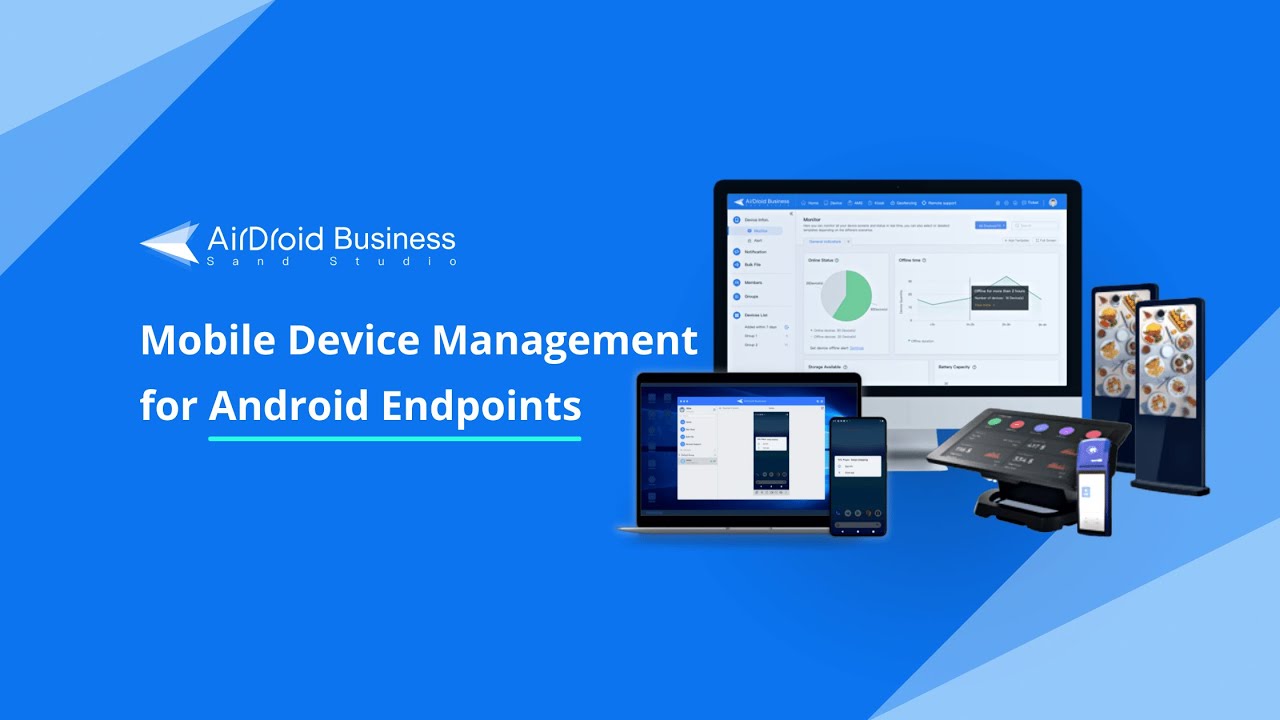
Among the many third-party MDM solutions, AirDroid Business became the preferred “control cockpit” for Samsung enterprise customers in 2026, thanks to its deep integration with Knox APIs and support for complex operational scenarios.
Visualizing the Invisible: Monitoring Knox Status via AirDroid Dashboard
For IT managers overseeing thousands of POS terminals, logistics tablets, or mobile workstations scattered across the globe, AirDroid provides a global “god’s-eye view.”
- Multi-dimensional Dashboard: The dashboard not only shows online/offline status but also pulls real-time data from Knox hardware sensors. For example, IT administrators can monitor whether delivery locker tablets in tropical regions are at risk of battery overheating or detect abnormal alerts from Knox Warranty Bits on certain devices.
- Inventory and Compliance Analysis: AirDroid can automatically consolidate firmware versions, installed patch dates, and storage usage across all devices, generating compliance reports to help enterprises meet audits such as ISO 27001.
Remote Debugging & Unattended Access
The core advantage of AirDroid Business lies in its “Unattended Access” capability, which is crucial for managing devices in retail stores or industrial sites.
- Remote Black Screen Mode: This patented feature allows IT staff to remotely connect to an employee’s device for maintenance while turning the screen black and displaying “System Maintenance in Progress,” protecting sensitive operations from being viewed.
- Batch Script Deployment: Instead of clicking through devices one by one in the console, AirDroid enables administrators to write complex shell scripts and push them to Samsung POS devices across 800 global retail locations with a single click. Case data shows this can improve maintenance efficiency by over 80%, reducing an update process that previously took 8 hours to under 1 hour.
Fix Issues Faster with Knox-Powered Remote Control
Reduce downtime with industry-leading unattended access. Leverage AirDroid’s deep Knox integration to remotely view, control, and troubleshoot devices—utilizing Black Screen Mode to protect privacy during maintenance.
Simplifying Complexity: Deploying Knox Policies in One Click
AirDroid Business fully supports the previously mentioned Knox Service Plugin (KSP). Administrators don’t need to study the underlying binary code; they can simply check options such as “Disable Bluetooth,” “Restrict Wi-Fi Hotspot Connection,” or “Enable DualDAR Secondary Encryption” in AirDroid’s graphical interface.
These policies are securely pushed to the endpoint hardware through the Knox framework. This “low-code” management approach greatly lowers the technical barrier for enterprises.
Conclusion: Buying Hardware for Security, Managing it for Productivity
The development of Samsung Knox in 2026 clearly reveals one truth: mobile security is not a “plug-in,” but a “gene.” By embedding trust at the silicon manufacturing stage, Samsung has laid an unbreakable foundational layer for hundreds of millions of devices worldwide. However, hardware security is only the starting point—true business success comes from efficient management.
Whether through Samsung’s native Knox Suite or a fully integrated cockpit like AirDroid Business that leverages Knox APIs, the ultimate goal for enterprises is to unlock employee productivity in extreme defense environments.
For CIOs and security experts in 2026, Samsung Knox is more than a security protocol—it is the digital moat for building a Resilient Organization.
Choosing Samsung hardware with Knox protection reflects a respect for security, while using advanced MDM tools to integrate it into a unified management matrix reflects the pursuit of maximum efficiency. Amid the ever-evolving threat landscape, this “hardcore defense + cloud collaboration” model will continue to define the ultimate form of mobile security.
FAQs



Leave a Reply.