Is Samsung Knox Secure Enough? A Deep Dive into Knox Vault and TEE Technology
In the mobile security field, “defense-grade” is often seen as a marketing term, but for Samsung Knox, it is backed by a rigorous technical architecture. As of 2026, Samsung Knox has received Common Criteria (CC) certification for 10 consecutive years and complies with globally recognized security benchmarks such as the U.S. NIAP, NIST FIPS, and the UK NCSC.
This article will take an in-depth look at Knox’s hardware foundation, system-level defenses, and how modern management tools can unlock its full security potential.
Introduction: Why "Defense-Grade" Isn't Just a Buzzword
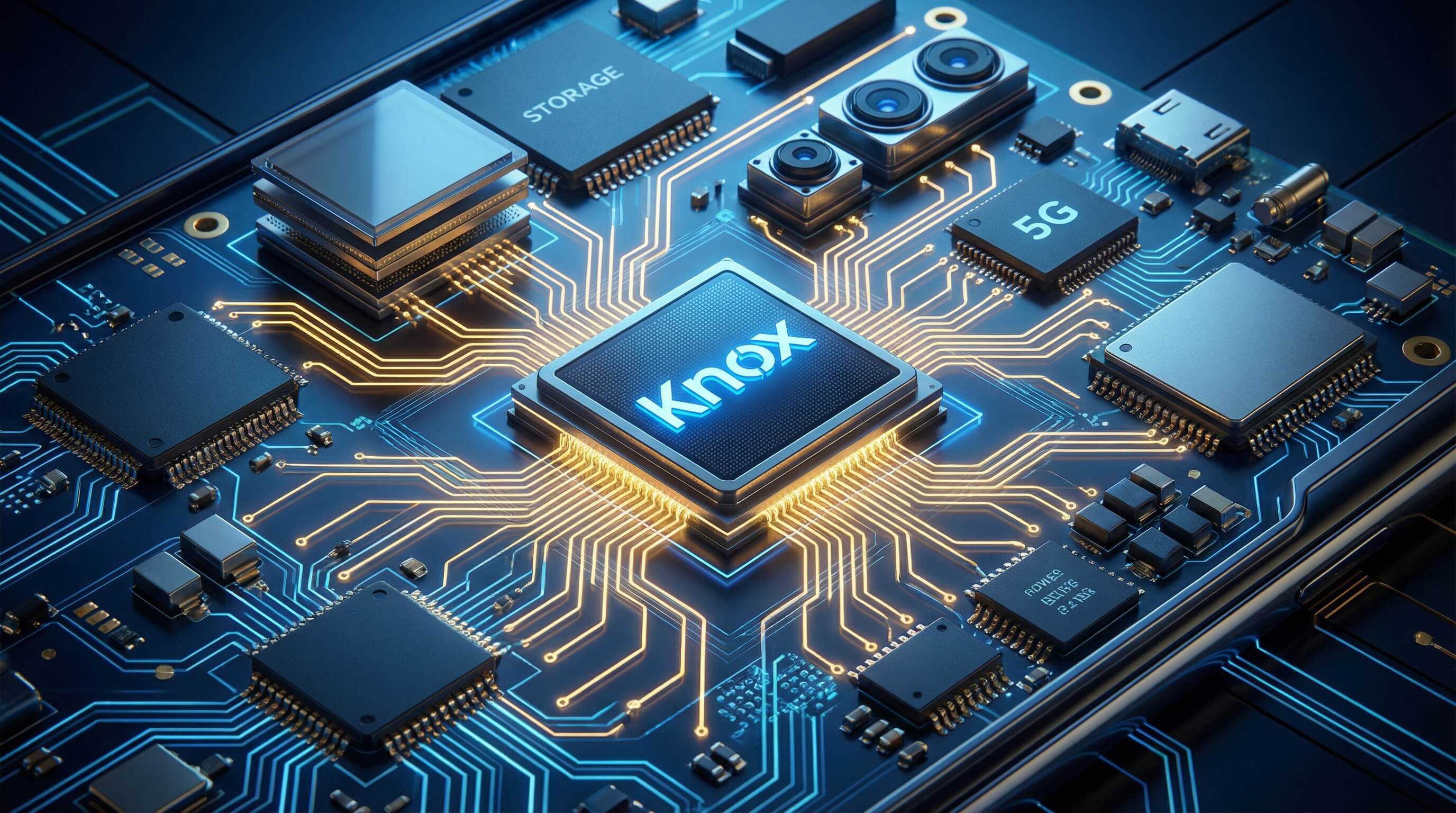
Samsung Knox is referred to as a “defense-grade” security platform because it is not merely software hardening; security is embedded into the hardware starting from the chip design stage, establishing a Hardware Root of Trust.
This end-to-end protection ensures that from the moment the device powers on, every component that is loaded undergoes strict signature verification. The security architecture is so robust that it meets the rigorous standards of the U.S. Defense Information Systems Agency (DISA), allowing these devices to be used within the Department of Defense networks.
- 1 : The Architecture of Trust: Samsung TEE vs. Knox Vault
- 2 : Beyond Hardware: Real-Time Kernel Protection (RKP) and System Security
- 3 : Samsung Knox vs. Antivirus: Do You Still Need Third-Party Protection?
- 4 : The "Kill Switch": The Knox Warranty Bit (e-Fuse)
- 5 : Leveraging Knox for Business: Where AirDroid Business Fits In
1The Architecture of Trust: Samsung TEE vs. Knox Vault
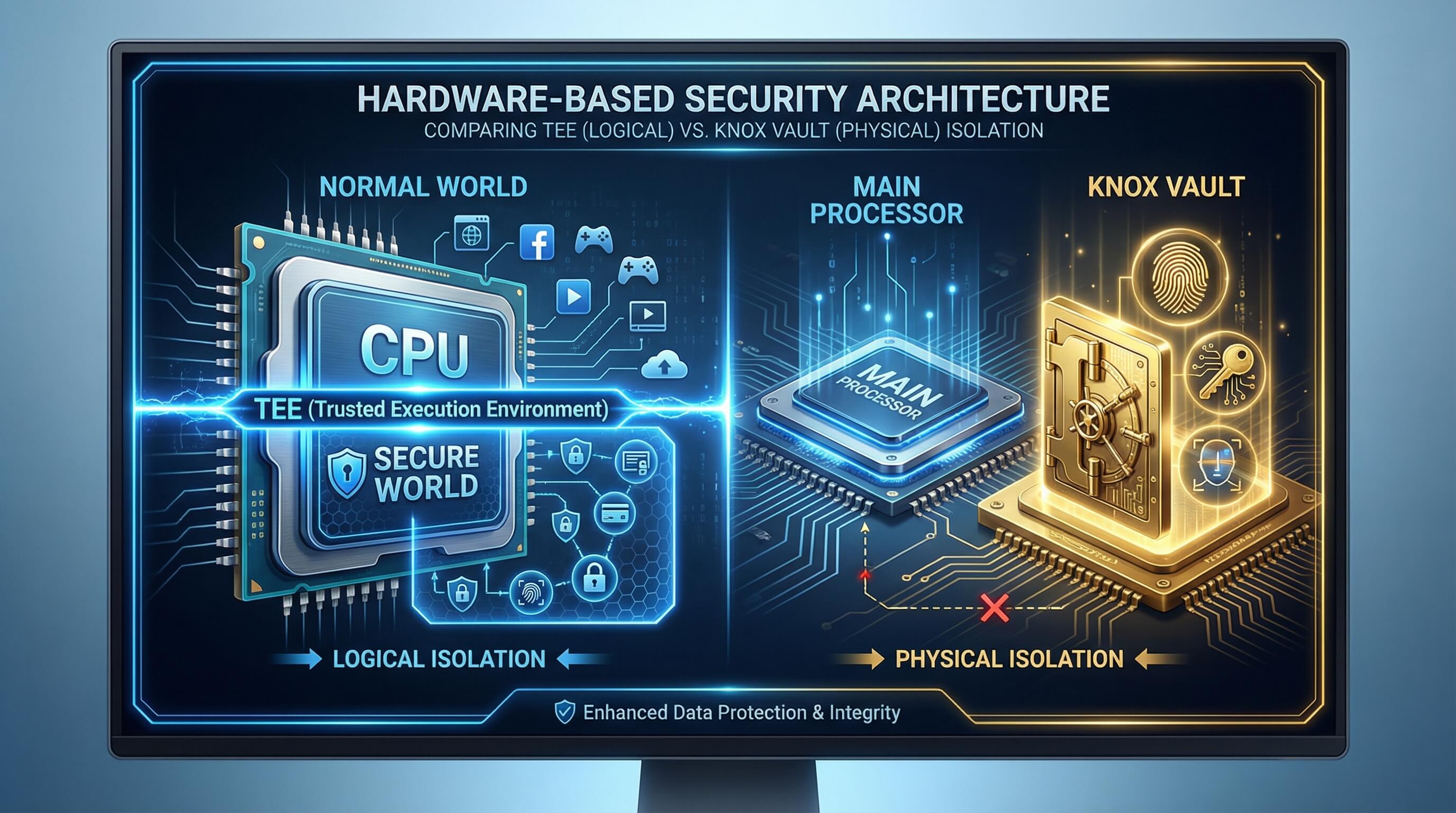
In 2026 Galaxy devices, the trust architecture has evolved from logical isolation to physical isolation. Understanding the difference between these two is key to evaluating the security of Knox.
What is Samsung TEE (Trusted Execution Environment)?
TEE is based on ARM TrustZone technology, which divides the main application processor (AP) into two “worlds”: the normal world (running the Android system) and the secure world (TEE).
The TEE has its own independent micro operating system, dedicated to handling fingerprint data, password verification, and cryptographic keys. While it achieves effective logical isolation, because it still shares the main processor resources with Android, it may face the risk of side-channel attacks in extreme circumstances.
The Upgrade: Samsung Knox Vault (The Physical Safe)
To address the potential limitations of TEE, Samsung introduced Knox Vault in its high-end models (such as the S26 series). It is a fully independent subsystem with a dedicated secure processor, memory, and non-volatile secure storage.
Knox Vault completely isolates critical secrets, such as blockchain private keys and biometric hashes, from the main system. Even if the Android kernel is fully compromised, attackers remain unable to access the data stored inside the Vault.
Protection Against Physical Tampering

Knox Vault not only defends against software attacks, but is also equipped with a range of physical detection sensors:
Temperature and voltage monitoring:
Prevents hackers from inducing chip faults through extreme temperature or voltage manipulation (fault injection) to extract data.
Laser detection:
Able to detect laser probing attacks aimed at the surface of the chip.
Physical tamper detection: Once physical disassembly or probe intrusion is detected, the Vault immediately locks down and activates data protection measures.
2Beyond Hardware: Real-Time Kernel Protection (RKP) and System Security
Hardware provides the foundation, while technologies such as RKP protect system integrity in real time during device operation.
How RKP Prevents "Rooting" and Unauthorized Access
Real-time Kernel Protection (RKP) is a proprietary Knox technology that runs a security monitor in an isolated environment. RKP continuously checks the integrity of the operating system core (kernel).
By intercepting critical kernel actions, it ensures that any attempt to gain root privileges or modify system permissions is blocked before execution, thereby stopping exploits before zero-day vulnerabilities can be abused at scale.
Defeat Exploits (DEFEX) and Sensitive Data Protection(SDP)
1. DEFEX (Defeat Exploits):
A defense mechanism specifically designed to monitor unauthorized privilege escalation or attempts by attackers to alter system behavior.
2. SDP (Sensitive Data Protection):
Ensures that data remains encrypted even when “idle.” Even if the device is unlocked, certain sensitive folders stay encrypted unless accessed by authorized apps, preventing malicious applications from stealing data in the background.
Rollback Prevention
Attackers often attempt to downgrade a device’s system to an older version containing known vulnerabilities. Knox’s hardware fuse records the current minimum version, preventing the device from loading outdated firmware with security risks, ensuring the device is always protected by the latest security patches.
3Samsung Knox vs. Antivirus: Do You Still Need Third-Party Protection?
Comparison Table
Samsung Knox Vs. Antivirus
Feature | Samsung Knox | Traditional Third-Party Antivirus (AV) |
|---|---|---|
| Level | Chip-level, kernel-level hardware integration | Runs only at the application layer |
| Boot Protection | Protects the boot chain, preventing malicious firmware | Can only run after the system starts |
| Permission Isolation | Hardware-based physical/logical isolation | Relies on OS-provided software sandbox |
| Main Goal | Protect system integrity and core keys | Scan for known malware signatures and viruses |
Key Insight
Knox provides foundational “ground-level security,” preventing the entire “house” from collapsing, while antivirus software acts more like a “surveillance camera,” detecting pests that enter the house. In enterprise environments, Knox is an essential defensive cornerstone, whereas antivirus software serves as a complementary tool for specific scenarios.
4The "Kill Switch": The Knox Warranty Bit (e-Fuse)
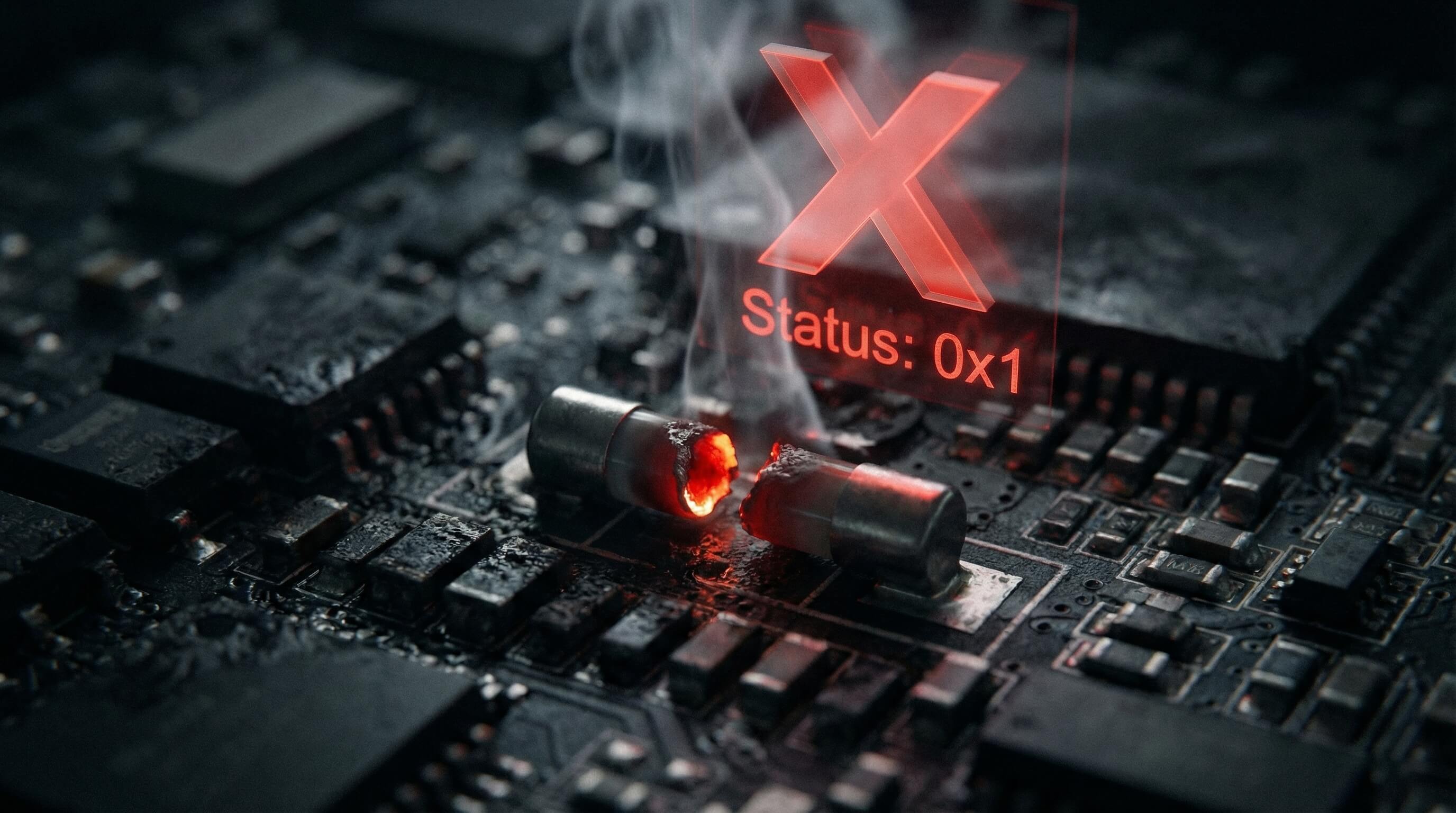
This is Knox’s most renowned physical security feature and the mechanism that tech enthusiasts respect the most.
Understanding the Knox Trip
Within the device’s hardware circuitry, there is a one-time programmable fuse called the “Warranty Bit.” Here’s what it does:
- Trigger Condition: Once a user attempts to flash an unauthorized Samsung image, unlock the Bootloader, or perform illegal rooting, this bit is physically burned from 0x0 to 0x1.
- Irreversibility: This physical damage cannot be repaired through software. Even if the official system is reflashed, the fuse status remains permanently.
Impact on Enterprise Security
For enterprises, a blown fuse means the device’s “chain of trust” has been broken. Devices with a triggered fuse will permanently lose access to Samsung Pay, Samsung Pass, and the encrypted “Secure Folder,” and will fail the integrity checks (Attestation) of enterprise MDM, thereby being denied access to the corporate network.
5Leveraging Knox for Business: Where AirDroid Business Fits In

Having powerful hardware alone is not enough; enterprises need efficient tools to manage these security features. AirDroid Business serves as the management cockpit between Knox hardware and enterprise operations.
The Bridge Between Hardware and Management (KSP)
AirDroid Business is deeply integrated with the Knox Service Plugin (KSP) and leverages Google’s OEMConfig standard, allowing IT administrators to access over 1,500 Knox-specific APIs directly from the AirDroid console.
This means administrators can configure the latest hardware security policies on the very first day the S26 is released, without waiting for MDM updates.
Visualizing Compliance via the AirDroid Dashboard
Administrators can monitor the health of their entire device fleet in real time via the AirDroid Dashboard:
- Knox Status Monitoring: Detects in real time which devices have been rooted or have a triggered e-Fuse.
- Hardware Metrics: Monitors battery degradation, storage space, and network connection security.
Secure Unattended Access (Remote Debugging)
AirDroid Business offers a patented “Black Screen Mode,” allowing IT personnel to remotely and silently fix device issues without disturbing end users. Combined with Knox’s permission controls, it ensures that all remote operations occur within an auditable and secure tunnel.
Automated Compliance and Geofencing
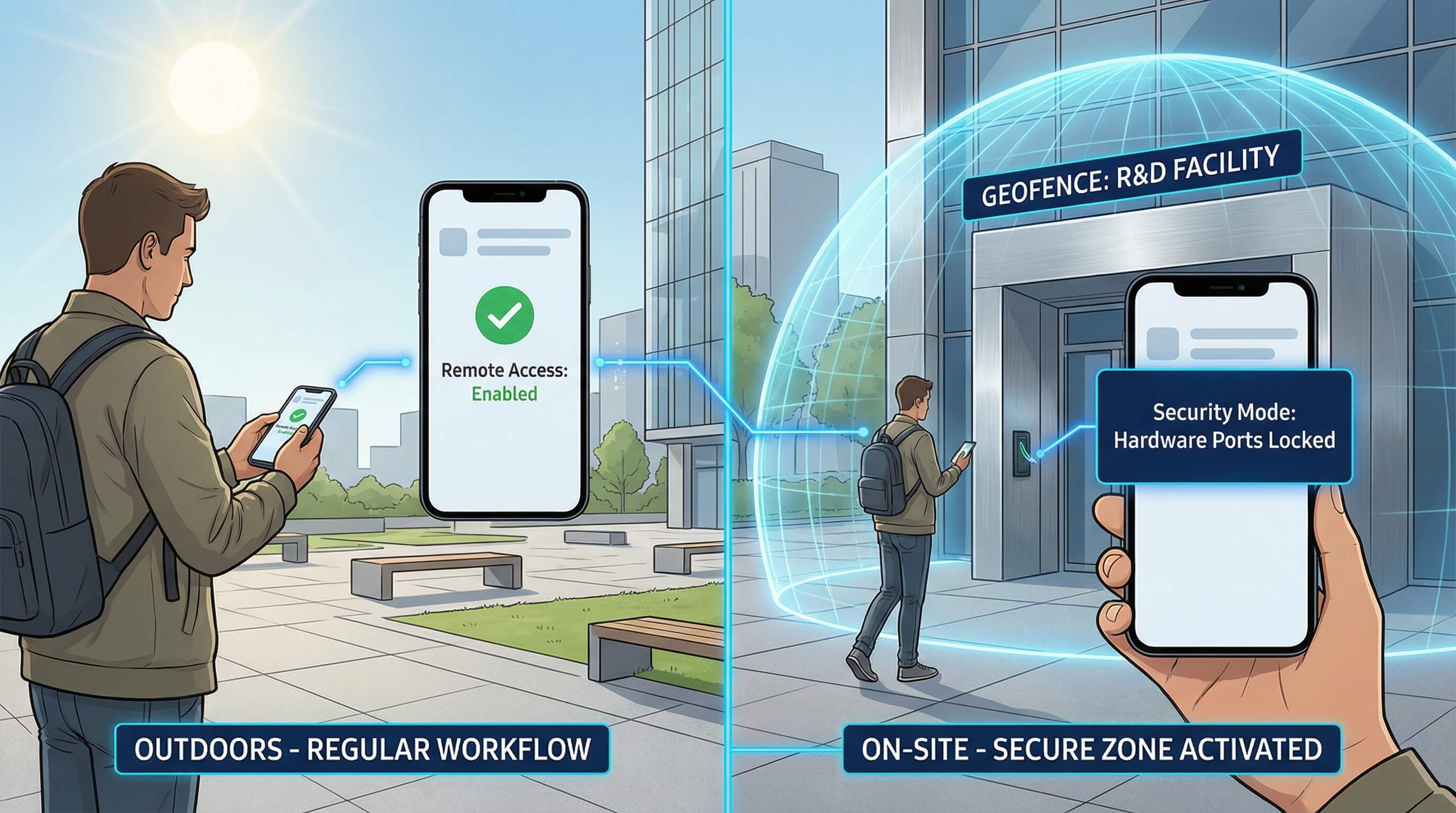
Through AirDroid, enterprises can set up automated workflows. For example, when a device enters a specific geofence area (such as an R&D lab), AirDroid can automatically trigger Knox commands to disable the camera, microphone, and USB data transfer. Once the device leaves the area, these functions are automatically restored, enabling precise on-site security management.
Conclusion: Trusting the Hardware, Verifying with AirDroid
In 2026, mobile security no longer relies on a single line of defense. Samsung Knox provides an unshakable hardware trust foundation, while AirDroid Business delivers efficient and transparent management oversight. This combination of “inherent security + external control” offers the most reliable protection for enterprises undergoing digital transformation.
CTA: Don't just trust the chip—manage it. Start your 14-day free trial of AirDroid Business today.
FAQs



Leave a Reply.