Why Employees Turn Their Work Devices into Mobile Hotspots
Introduction: Common yet high-risk workplace equipment usage behaviors
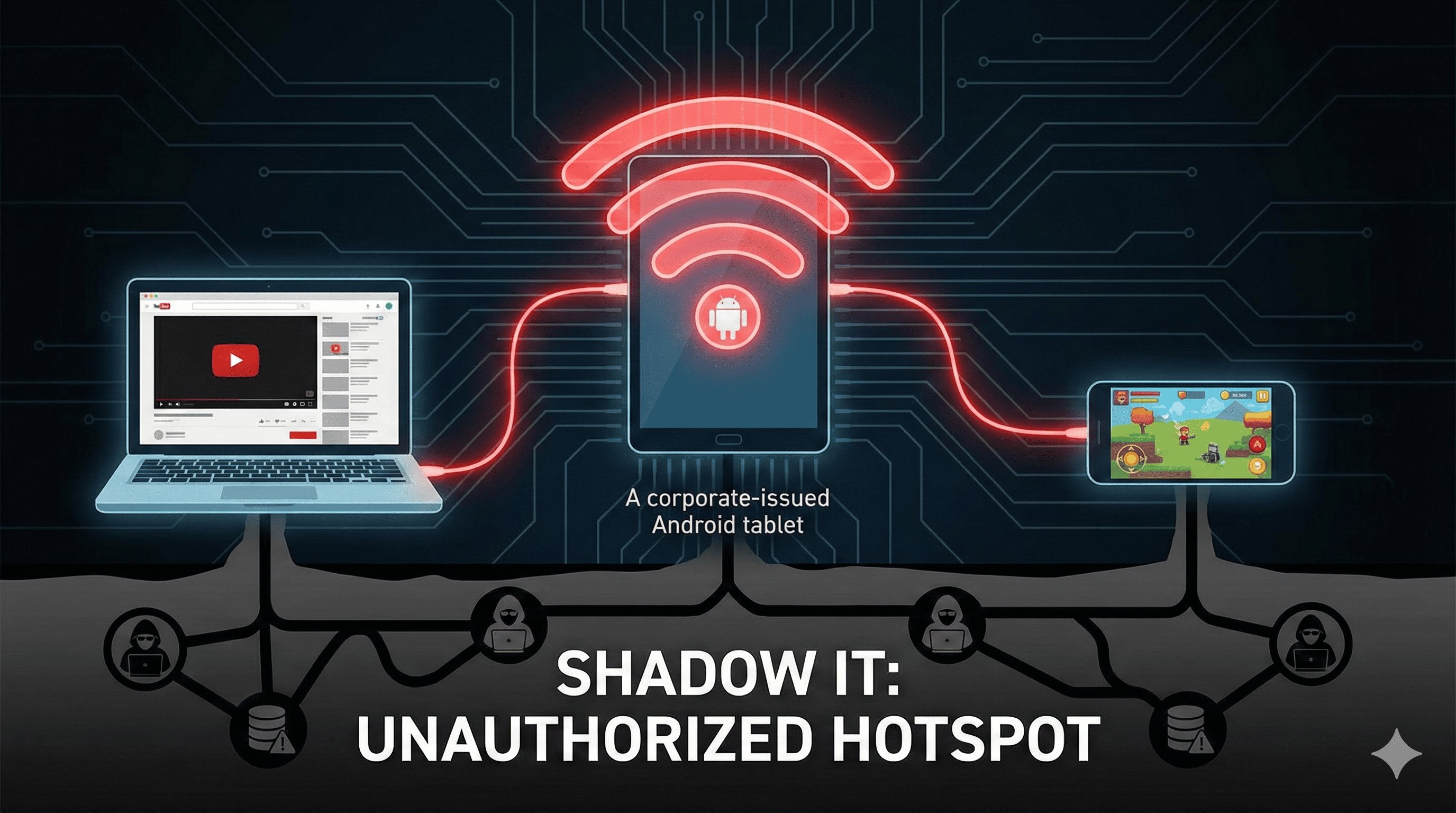
In offices, field work locations, and remote work scenarios, a hidden yet dangerous practice is becoming increasingly common: employees are using company phone data on Android devices (such as field tablets and POS terminals) as mobile hotspots to connect to their personal phones, laptops, and other devices. This seemingly convenient "workaround" actually harbors multiple risks, including data breaches, compliance violations, and misuse of company assets.
This behavior was not an unintentional mistake by the employee, but rather the result of unmet needs, vague rules, and a lack of technical control. To effectively address the issue, companies need to first understand the underlying logic behind the employee's behavior, then move beyond the mindset of simply "prohibiting" and use technological means to achieve the management goal of "controllable risks and compatible needs." For companies managing Android devices at scale, this is not only about standardizing device usage details but also about safeguarding data security and compliance.
- 1 : Behavioral Analysis: Why do employees misuse work equipment?
- 2 : The fragility of verbal policies: Why voluntary compliance doesn't work?
- 3 : From Human Nature to Technology: A Breakthrough in Balancing Needs and Control
- 4 : The necessity of technological solutions: reliable control that transcends human nature
- 5 : Solution: MDM Refined Strategy Solves the Hotspot Management Dilemma
- 6 : A dual upgrade in compliance and efficiency: more than just hotspot management
Behavioral Analysis: Why do employees misuse work equipment?
Core drivers of employee behavior
Employees turning their work equipment into hotspots is not due to negligence or malice, but rather stems from multiple needs and limitations in real-world scenarios, primarily falling into three categories:
Limitations of personal device use
- Personal mobile data plans have data limits, raising concerns about exceeding limits and incurring high charges. Many employees might feel that their work phone data is not enough, and they look for the an alternative through their company’s device.
- In scenarios such as fieldwork or remote areas, personal devices often have weak signals, while company equipment, equipped with enterprise-grade data cards or enhanced antennas, offers superior network stability;
In case of personal devices running out of power or experiencing hardware malfunctions, temporary reliance on work equipment for network emergency situations is necessary.
The urgent need for work efficiency
- Emergency scenarios: Such as field staff needing to synchronize data, or remote employees participating in impromptu meetings, when there is no available corporate network nearby.
- Corporate network deficiencies: Incomplete company Wi-Fi coverage, slow speeds, or frequent disconnections, forcing employees to use hotspots to avoid work interruptions. This tells why employees use work hotspot; because they don’t have other reliable options.
- Multi-device collaboration needs: Some employees are accustomed to using personal laptops to process documents and need to connect to the network via their work devices' hotspots to transfer files.
Misconceptions about corporate assets
- Most employees view work devices as "tools that can be used freely during work hours" rather than company-owned assets, ignoring the fact that the employee using company phone data is unauthorized because it’s the company’s asset that they are using, and "the devices and associated data packages belong to the company".
- They believe that using hotspots is not a violation "as long as it is used for work-related matters," blurring the lines between "work convenience" and "compliant use".
- They lack awareness of the risks associated with using hotspots and are unaware of the potential security vulnerabilities that may arise from connecting personal devices.
Nature of the behavior: Unauthorized use of corporate assets
Regardless of the motive, converting work equipment into a hotspot without the company's explicit approval means corporate asset unauthorized access, and it poses significant risks. Employees should not assume that they can freely use company phone data for personal purposes.
Boundaries of Enterprise Assets
The core value of work equipment lies not only in the hardware itself, but also in the supporting resources such as the enterprise's paid data plan, exclusive network access, and security configuration. These are all enterprise assets and can only be used to support legitimate business scenarios, and cannot be used to supplement personal equipment.
Core risks of unauthorized use
- Security: Personal devices (which may lack antivirus software or updated systems) connected to work device hotspots can easily become springboards for malware or hackers, potentially infiltrating the corporate intranet.
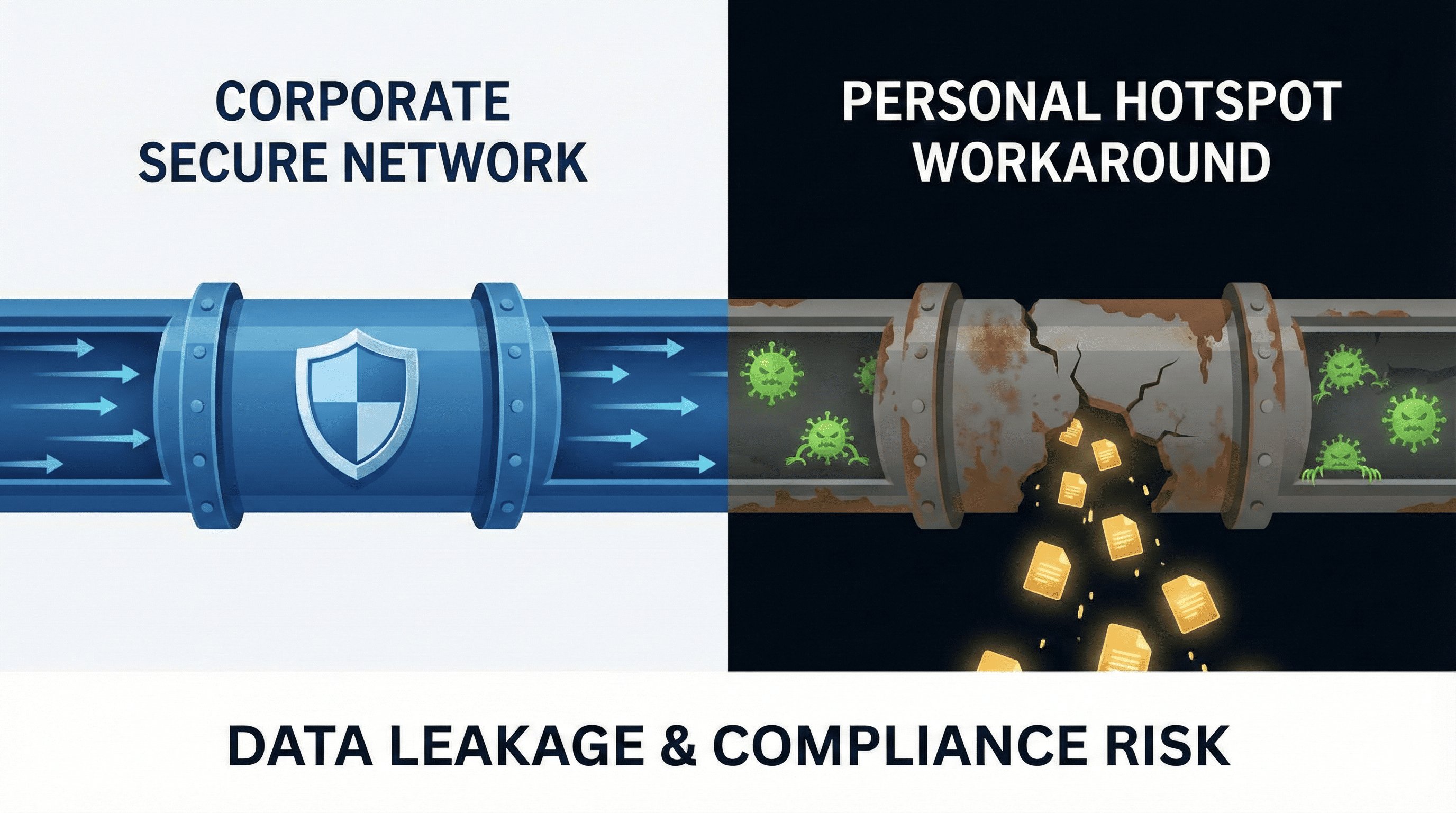
- Data: Data flow between personal and work devices bypasses corporate security controls (such as firewalls and data encryption), posing a risk of sensitive information leakage.
- Cost: Shared use by multiple users and for non-work purposes (such as downloading or streaming media) can lead to excessive data traffic for the company, increasing operating costs. This is a pure showcase of a corporate phone data management loophole.
Blurred usage boundaries and compliance loopholes
Employees often justify the use of hotspots by citing "completing work tasks" as the reason, but this "self-justified" behavior often violates the company's asset management system. This leads to device policy non-enforcement. More importantly, this vague usage scenario can prevent companies from meeting the core compliance requirement of "controllable data transmission path," creating audit risks due to corporate phone data management loopholes.
Control Work Device Usage with AirDroid Business
Discover how AirDroid Business can help manage and secure work devices, preventing unauthorized hotspot usage while balancing employee needs and compliance.
The fragility of verbal policies: Why voluntary compliance doesn't work?
Many companies regulate the use of trending topics only through informal means such as verbal reminders and email notifications, assuming that employees will "understand the risks and consciously comply." However, practice has proven that this management model, which relies on voluntariness, is extremely vulnerable in reality and mostly leads to device policy non-enforcement.

The inherent flaws of verbal/informal policies
The rules are vague and interpreted differently.
Informal policies often lack clear standards: How is "emergency" defined? Is "occasional use" allowed? Different employees and different departments interpret these policies very differently. Some think "it's okay to use it for 1 hour a day," while others dare not use it at all, leading to management chaos.
Lack of oversight and enforcement
Verbal policies lack accompanying monitoring mechanisms, leaving the IT team unable to track who is using hotspots, when they are using them, and which devices are connected. Even when violations are discovered, the lack of clear penalties makes them ineffective as a deterrent. This lack of visibility means how to monitor employee phone usage remains unclear. Employees quickly realize that "the rules are just talk," and their compliance awareness gradually fades.
Difficult to scale, uneven implementation
For small teams, verbal policies may be effective in the short term, but for companies with multiple regions, multiple stores, and a large number of field staff, it is impossible to achieve unified implementation: front-line managers may strictly prohibit it, while the logistics department turns a blind eye, resulting in uneven risk exposure for the company as a whole.
Verbal policies fail to ensure compliance
In addition to implementation issues, verbal policies themselves do not meet the stringent requirements of global data protection regulations, directly placing companies at compliance risk. Without logs or technical measures, they lack the management policy enforcement power.
Core Conflicts with GDPR/PCI DSS/HIPAA
- GDPR requires companies to “take appropriate technical and organizational measures” to ensure data transmission security; verbal policies cannot provide any verifiable control measures.
- PCI DSS (Retail Payments Standards) explicitly stipulates that “device network access permissions must be controlled”; it also includes company device hotspot permissions. Verbal policies cannot prevent the risk of payment data leakage from unauthorized hotspots.
- HIPAA (Healthcare Industry Standards) requires “traceable data transmission paths”. This lack of traceability shows how shadow IT employee behavior can emerge as a risk. Unmonitored hotspot use leads to uncontrolled data flow, directly violating compliance requirements.
High risk of audit failure
The core of a compliance audit is a "complete chain of evidence" requiring companies to provide tangible materials such as policy documents, implementation records, and monitoring logs. Verbal policies, without any written record, cannot prove that the company has fulfilled its "risk management obligations," and will almost certainly be deemed non-compliant during the audit, facing hefty fines.
Case Study: The Real Risks Behind Verbal Policies
Retail industry data breach
A supermarket chain only verbally emphasized "no using hotspots on cash registers" during morning meetings, but one employee, having run out of mobile data, used the POS terminal's hotspot to connect to their personal computer to handle personal matters. This resulted in malware on the computer infiltrating the supermarket's internal network and leaking 12,000 customer payment records. Ultimately, the company was fined €1.2 million under GDPR and experienced a 15% customer churn rate.
Compliance penalty cases in the medical industry
A hospital allowed nurses to connect their personal mobile phones to their work tablets via hotspot (with verbal consent) to view work notifications. A HIPAA audit revealed that this practice had been ongoing for two years without any recorded usage. The hospital was fined $800,000 for "uncontrolled data transmission paths" and ordered to suspend operations for three months for rectification, resulting in direct losses exceeding $5 million. The core problem here was device policy non-enforcement, leading to shadow IT employee behavior.
Enforce Compliance with AirDroid Business
Move beyond verbal policies with AirDroid Business. Implement automated rules and real-time monitoring to ensure compliance and protect corporate assets.
From Human Nature to Technology: A Breakthrough in Balancing Needs and Control
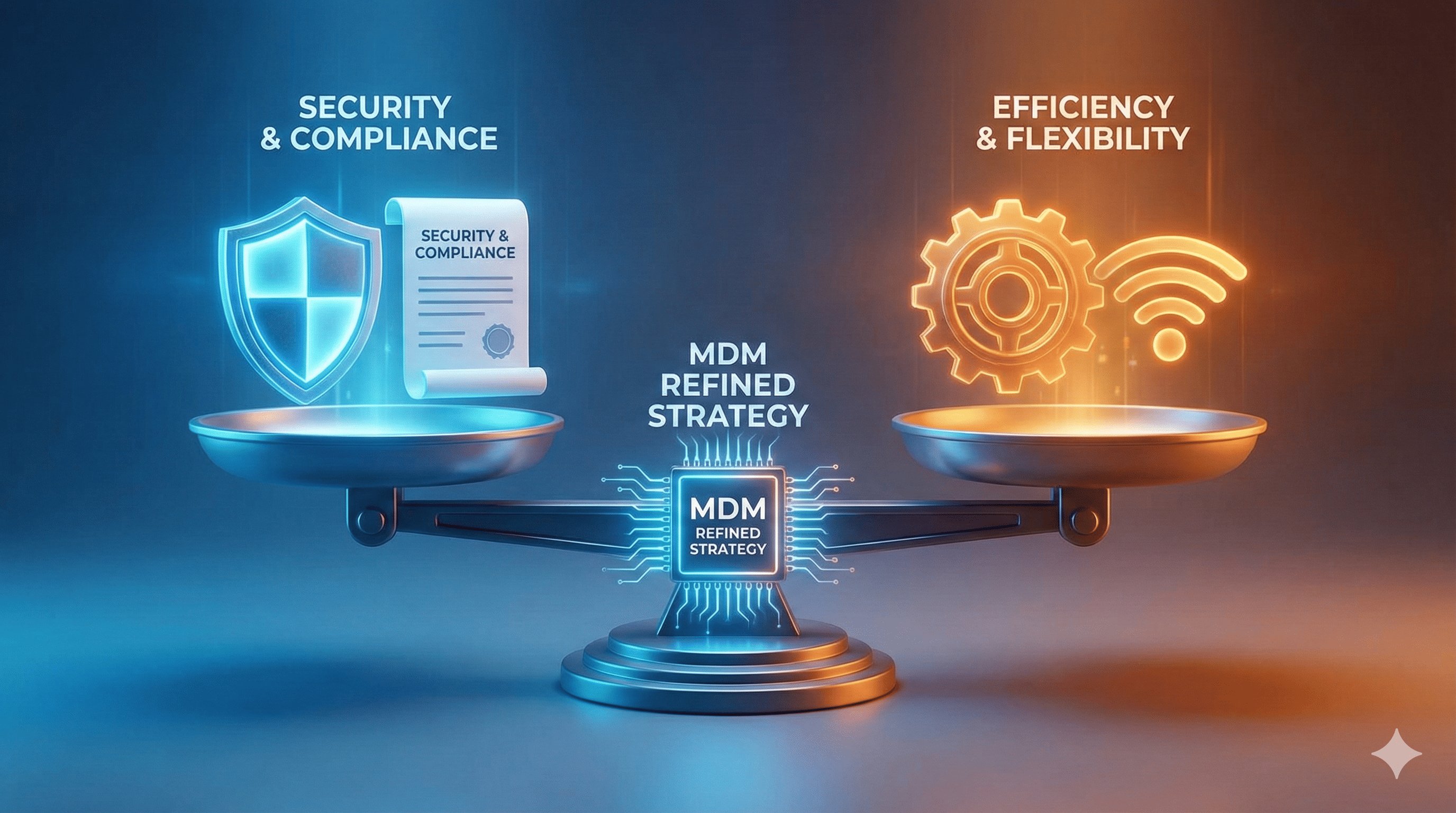
The failure of verbal policies lies in ignoring the fundamental human tendency towards convenience. When compliance conflicts with convenience, employees often prioritize the latter. The key to solving this problem is not simply prohibition, but designing a systematic solution that both meets reasonable needs and prevents misuse.
A Humanistic Perspective: Delineating the Boundaries Between Reasonable Needs and Abuse
Businesses need to recognize that not all use of trending topics is a high-risk behavior. The demand in some scenarios is reasonable and should be treated differently to avoid resistance caused by a "one-size-fits-all" approach.
Reasonable demand scenarios that deserve to be tolerated
- Fieldwork scenarios: Such as logistics drivers in remote areas or construction workers on construction sites without corporate Wi-Fi, requiring synchronized work data.
- Emergency scenarios: Widespread corporate network outages, requiring employees to complete core tasks such as emergency reports and customer communications via hotspots.
- Temporary scenarios: Remote work or business trips where no alternative network is available in the short term.
Improper use that must be prohibited
- Non-work-related use: Using a work device's hotspot to watch videos, play games, or download personal files; a clear case of employee misuse of company assets.
- Abuse of sharing: Sharing the hotspot with colleagues, family, or strangers.
- Long-term dependence: Knowing that a corporate network is available, continuing to use the hotspot to circumvent network controls for an extended period.
- High-risk connection: Connecting to unsecured personal devices (such as jailbroken phones or computers without antivirus protection).
Avoid the "black and white" management dilemma
A complete ban would dampen employee morale and even lead to "underground use" (which is more difficult to manage); a complete laissez-faire approach, on the other hand, would allow risks to spiral out of control. What businesses need is "refined management" providing compliant channels for reasonable needs while clearly defining boundaries.
The core need of enterprises: balancing three objectives
An effective solution must simultaneously meet three core objectives; none can be omitted:
Safety First: Blocking High-Risk Areas
By preventing unauthorized hotspot use at the source, we can avoid malware intrusion, data leakage, and other problems caused by personal device access, thus protecting the security of enterprise intranets and sensitive information.
Compliance and Achievement: Meeting Regulatory Requirements
Establish a traceable and auditable control system, and provide materials such as policy implementation records and hot usage logs to ensure compliance with GDPR and industry-specific audits. It helps the company answer the questions about how to monitor employee phone usage and satisfy regulatory demands.
Flexible adaptation: Ensuring work efficiency
Provide controllable hotspot access channels for reasonable emergency needs and field scenarios, without affecting the progress of core business, and avoid employee resistance due to excessive control.
The necessity of technological solutions: reliable control that transcends human nature
Relying solely on institutional constraints and employee self-discipline is insufficient to achieve a balance between "safety, compliance, and flexibility." Only by using technological tools to transform abstract policies into executable and monitor able automated rules can the problem be truly solved.
The insurmountable limitations of manual management
- Lack of real-time monitoring: With hundreds or thousands of distributed devices, it's impossible for IT teams to manually track the hotspot status of each one.
- Delayed response: By the time unauthorized use is discovered, data may have already been leaked and costs incurred.
- Uneven implementation: Manual review and approval are easily influenced by subjective factors, leading to deviations in policy implementation.
The core value of the technical solution
- Automated Execution: Hotspots are disabled by default and only enabled when preset conditions are met, requiring no manual intervention.
- Fine-grained Differentiation: Through scenario definition and permission restrictions, legitimate needs and inappropriate use are accurately identified.
- Full-Process Traceability: All hotspot usage behaviors are recorded, forming a complete audit log to meet compliance requirements.
- Scalable Adaptation: Unified management is achieved regardless of the number of devices or their distribution range.
Solution: MDM Refined Strategy Solves the Hotspot Management Dilemma
Mobile device management (MDM) solutions (such as AirDroid Business) perfectly balance risk control and demand fulfillment through a refined strategy of "default disabling, scenario-based authorization, full-process monitoring," thus completely solving the problem of hotspot abuse on work devices from a technical perspective.
MDM's core capability: Controllable hotspot usage
AirDroid Business provides IT teams with end-to-end hotspot management capabilities, giving complete control over company device hotspot permissions, ensuring compliant and orderly use of enterprise assets:
Basic Management: Remotely disable hotspot functionality
IT administrators can disable the hotspot function on all company Android devices by default through the backend, blocking unauthorized use at the source. This setting supports remote batch deployment, and the policy will be automatically synchronized after the devices are in the field or offline, ensuring unified implementation across the entire fleet.
Whitelist management: Only open to compliant scenarios
For reasonable needs, a "hotspot whitelist" can be set up to enable the hotspot function only under preset conditions:
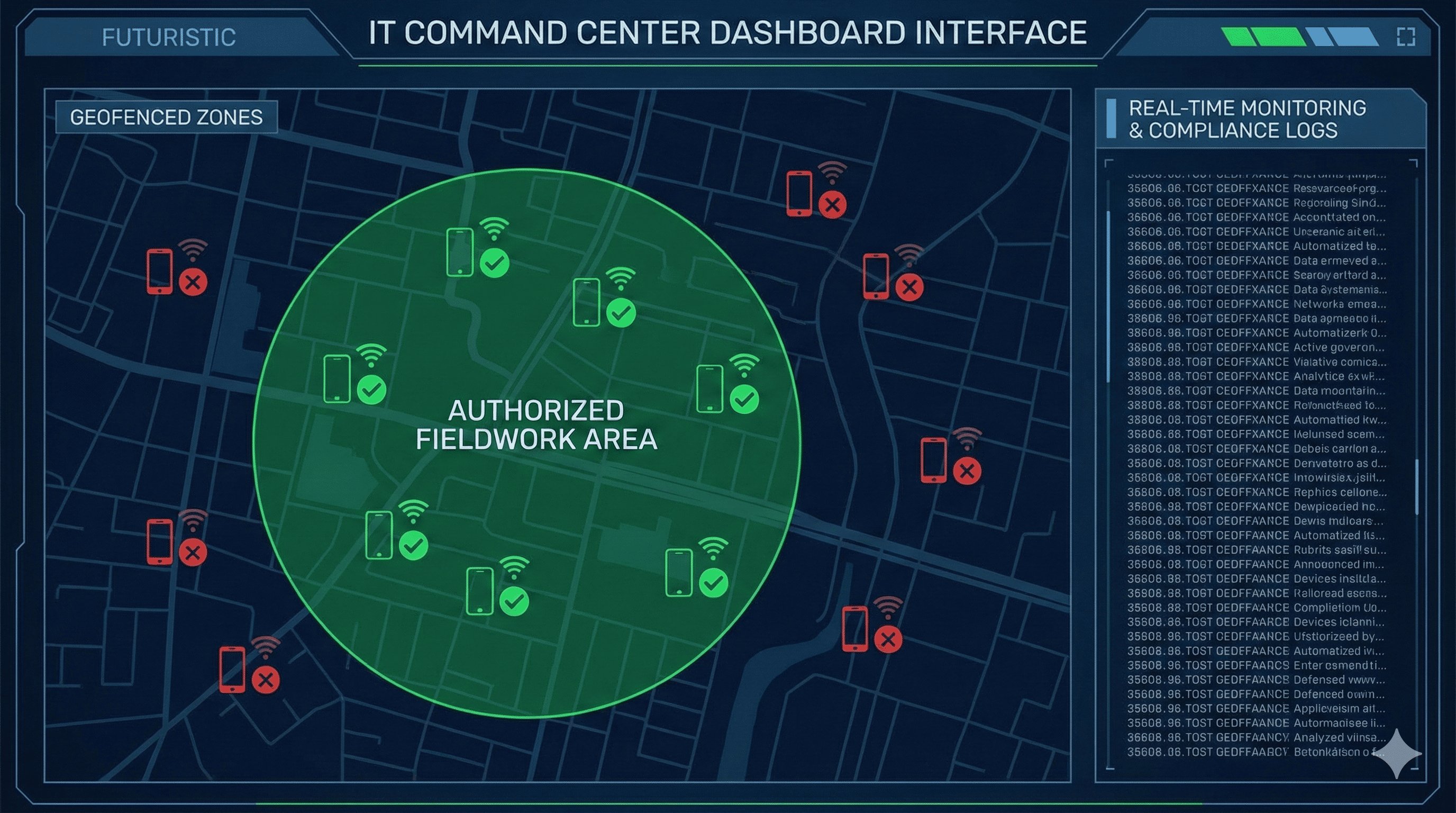
- Geofencing: Hotspots are automatically enabled only when devices are in designated areas (such as remote construction sites or partner sites).
- Time windows: Use is only allowed during specific time periods (such as during enterprise network maintenance).
- Device grouping: Access is granted only to devices of specific teams such as field staff and emergency response personnel.
Full Log: The Complete Chain of Evidence for Compliance Audits
AirDroid Business automatically records all hotspot-related activities, generating immutable logs:
- Hotspot activation/deactivation time and location;
- Connected device model and MAC address;
- Data usage and connection duration;
- Permission requests and approval records.
These logs can be directly exported as audit reports, meeting the traceability requirements of regulations such as GDPR and PCI DSS.
Refined policy design: Balancing demand and regulation
AirDroid Business breaks away from the "one-size-fits-all" management model, providing employees with necessary flexibility while ensuring security through scenario-based and permission-based design.
Scenario-based authorization: a compliance channel for temporary needs
Employees can submit hotspot usage requests through the AirDroid Business employee app:
- Field staff in areas without corporate network access can upload location screenshots and work task descriptions to apply for temporary hotspot permissions.
- IT administrators can quickly review applications through the backend and set the permission validity period (e.g., 2 hours) and data limit (e.g., 5GB).
- Permissions automatically expire without manual intervention, avoiding the risks associated with "forgetting to turn them off."
Access restrictions: Prevent abuse after authorization
Even in compliant hotspot usage scenarios, AirDroid Business implements multiple layers of protection:
- Device connection restriction: Only one personal device is allowed to connect, preventing abuse of sharing.
- Data usage control: The hotspot is automatically disconnected after exceeding the preset limit to avoid excessive charges.
- Access control: Access to high-risk websites and non-work applications is restricted for connected devices, reducing security risks.
Real-time monitoring: rapid response to abnormal behavior
The IT team can view the real-time usage status of all hotspots through the backend dashboard:
- If an anomaly is detected (such as 1 work device connecting to 5 personal devices, or a sudden surge in data usage within a short period), the hotspot can be immediately shut down remotely.
- Alarm notifications are automatically triggered, simultaneously sending alerts to employees and administrators for timely problem investigation.
For devices that repeatedly violate regulations, punitive measures such as "permanently disabling the hotspot" and "locking the device" can be set to create a deterrent effect.
Simplify Hotspot Management with AirDroid Business
AirDroid Business offers a comprehensive solution for hotspot management, providing scenario-based authorization and full-process monitoring to secure your enterprise.
A dual upgrade in compliance and efficiency: more than just hotspot management
AirDroid Business's hotspot management feature not only solves single problems, but also brings a comprehensive improvement in compliance capabilities and management efficiency to enterprises:
Strengthening compliance capabilities
- Policy Implementation: Transforming abstract "prohibition of abuse" policies into enforceable technical rules ensures compliance requirements are not merely a formality.
- Audit Support: Complete log records and policy implementation tracking provide enterprises with evidence to rely on during compliance audits, significantly reducing the risk of fines.
- Risk Prediction: Identifying high-risk departments and employees with frequent violations through hot-topic usage data statistics allows for proactive optimization of control strategies.
Improve IT management efficiency
- Automated Operations: Automatic policy deployment, automatic permission expiration, and automatic anomaly alerts reduce repetitive work for the IT team.
- Self-Service Processes: Employees apply independently, and administrators review applications online, replacing traditional email communication and manual registration, improving response efficiency.
- Centralized Management: Hotspot status and usage records of all devices are centrally displayed, eliminating the need for individual device checks and reducing management costs.
Employee cognitive upgrade
Through clear policy implementation and transparent authorization application processes, employees can better understand that "work equipment is a company asset" and gradually develop a compliant usage awareness. When "compliant usage" becomes the default behavior, the company's overall risk management culture will also be strengthened.
Conclusion: Technical control is the core key to regulating the use of hot topics.
Employees turning their work devices into mobile hotspots is not simply a "violation of regulations," but rather the result of unmet needs and a lack of technical oversight. A management model relying on verbal policies and employee self-discipline cannot resist the human desire for convenience, nor can it meet the stringent requirements of regulatory compliance. Ultimately, it will only expose the company to security and financial risks.
MDM solutions (such as AirDroid Business) transform hotspot management from "passive prohibition" to "proactive prevention" through "technology-enabled management": default disabling blocks risks, scenario-based authorization meets needs, and end-to-end monitoring ensures compliance. This refined management model safeguards corporate asset security and compliance bottom lines while avoiding the negative impact of excessive control on employee motivation, achieving a triple balance of "security, compliance, and efficiency."
In today's era of mobile work and widespread use of devices, enterprises can no longer rely on verbal reminders to manage work equipment. MDM solutions like AirDroid Business offer enterprises a practical, traceable, and scalable hotspot management solution, ensuring that work equipment truly becomes a "security tool" supporting business operations, rather than a "vulnerability source" harboring hidden risks.
For enterprises pursuing long-term stable development, technology-driven, refined management is the only way to standardize equipment use, regain management policy enforcement power, and mitigate hidden risks.



Leave a Reply.