How to Remotely Disable Hotspot on Company-Owned Android Devices
Remotely disabling hotspots is not merely a traffic control measure, but a core defense for enterprises to ensure data security and compliant operations. Traditional Android native settings can only achieve surface-level disabling of functions, lacking underlying enforcement constraints, making them easily circumvented by technical employees.
This guide will use AirDroid Business as an example to explain in detail how to use the system-level policies of the MDM platform to achieve forced disabling, batch deployment, and real-time control of hotspot functions, building an impenetrable mobile access security barrier for enterprises.
1Why are natively disabled methods ineffective in enterprises?
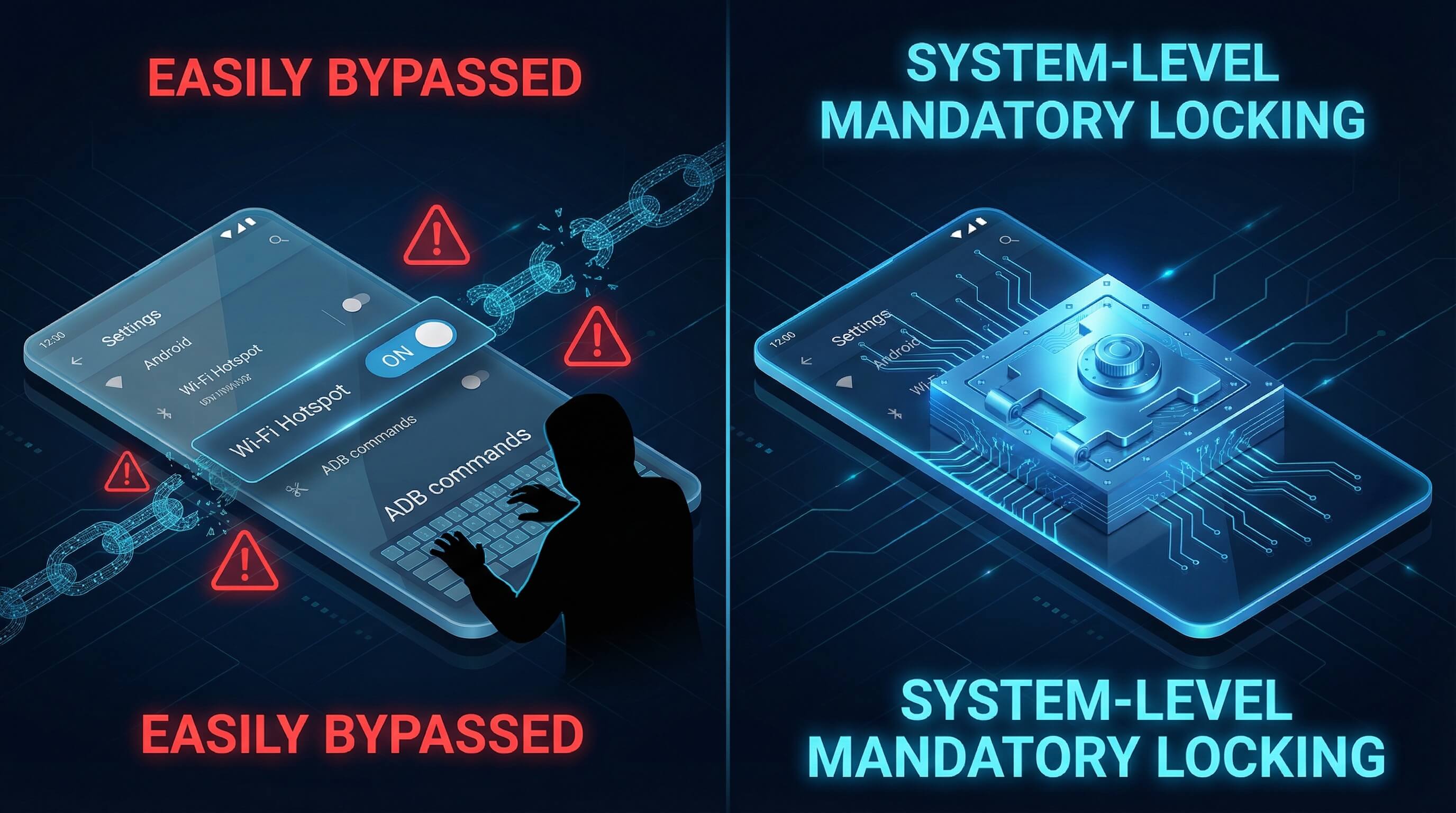
In enterprise-scale device management scenarios, relying on Android's native hotspot control methods has fundamental flaws, failing to guarantee security and hindering efficient operation.
Ease of Bypassing Due to the Very Low Technical Barrier
According to Verizon's 2023 Mobile Security Index report, over 40% of surveyed companies cited mobile devices as their most serious source of security threats.
Android's native hotspot settings are merely a "user interface switch," and employees can easily force the hotspot to turn on by enabling ADB debugging through "Developer Options" and entering commands such as `adb shell settings put global wifi_hotspot_enabled 1`.
Lack of a persistent locking mechanism
The native settings often revert to the default state after a device restarts, allowing employees to reactivate the hotspot during the restart window.
The high cost of manual management
An IBM study indicates that IT teams spend an average of 30 minutes manually configuring a single device.
When the number of devices exceeds one hundred, manually checking compliance leads to an exponential increase in operating costs, and the status cannot be confirmed in real time.
Stop Wasting Time on Weak Native Controls
Native settings are easily bypassed and impossible to scale. AirDroid Business replaces manual configuration with a centralized, tamper-proof system that disables hotspots across your entire fleet in minutes—saving IT hours and closing security gaps.
2The core value of MDM: mandatory and unavoidable.
Professional MDM platforms such as AirDroid Business use "Mandatory Access Control (MAC)" mechanisms to achieve device-level hotspot management, fundamentally solving the shortcomings of native settings.
Deployment mechanism of mandatory strategies
AirDroid Business's hotspot management strategy is designed based on the highest level of Android system permissions, and once deployed, it has an unbreakable enforcement effect.
The Direct Locking of Strategy into the System’s Underlying Functions
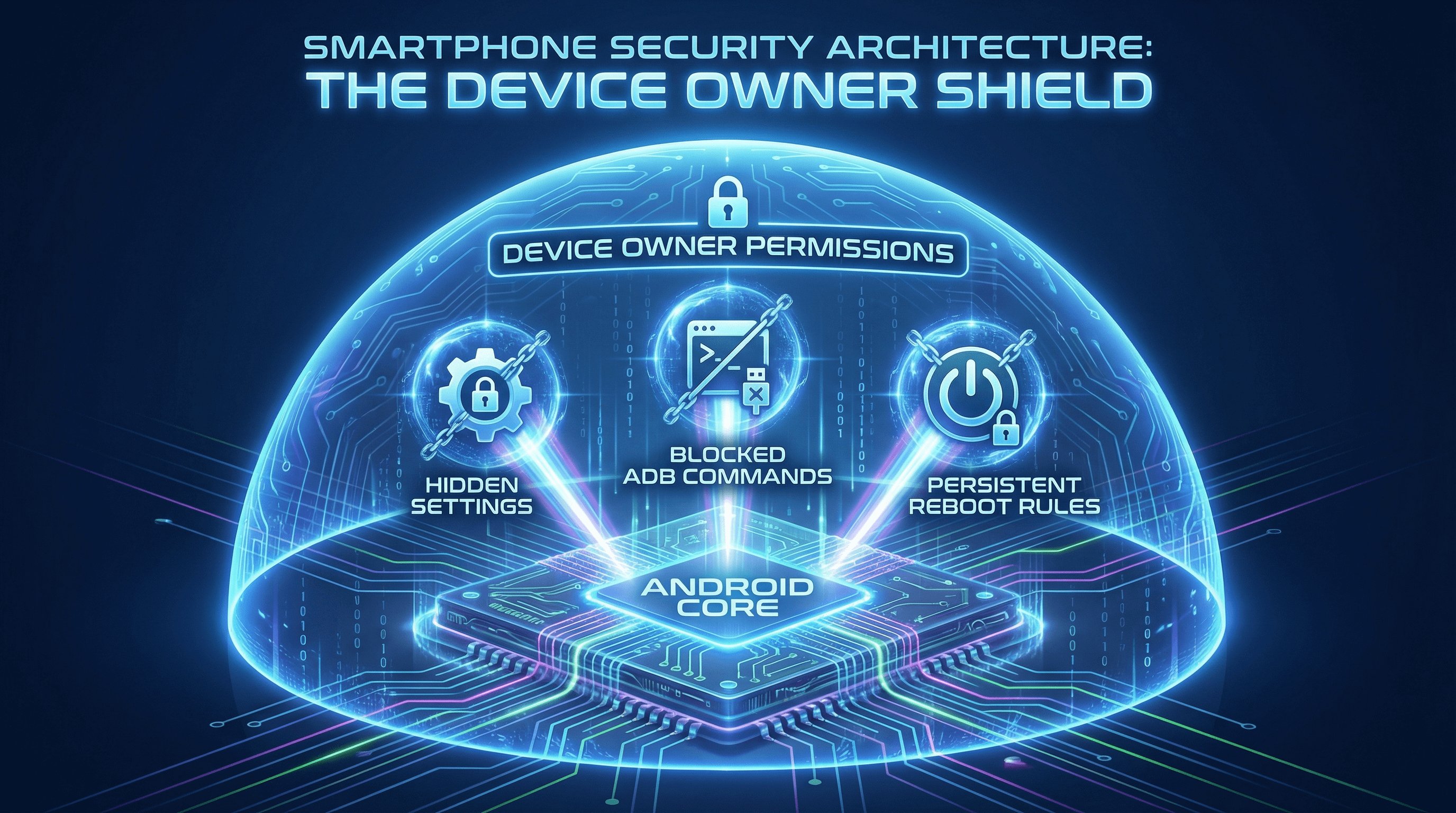
The platform directly locks the underlying system interface for the hotspot function by obtaining Device Owner permissions on the Android device.
After the administrator configures a "Disable Hotspot" policy in the background, the system will implement triple control:
AirDroid Business employs a "policy template + device grouping" deployment architecture, allowing administrators to manage all devices in just three steps:
- 1. Hides the hotspot switch entry in the native settings, preventing employees from finding the enable option on the device interface.
- 2. Blocks the execution channel of ADB commands; even if adb shell settings-related commands are entered, they will be intercepted by the system.
- 3. Permalinks the policy configuration to the device's system partition, automatically loading the control rules after a reboot, eliminating any state loss issues.
This underlying locking mechanism differs from the surface-level control of native settings; it's like upgrading from "closing the door" to "removing the lock and welding the door frame shut," ensuring that the hotspot function remains disabled until the administrator revokes the policy.
Get "Unbreakable" System-Level Control
Don't just hide the switch—remove the capability. AirDroid Business leverages Device Owner permissions to permanently lock hotspot functions, block ADB commands, and prevent unauthorized re-enabling, even after a device reboot.
A leap in efficiency for batch deployment

The MDM platform's batch deployment capabilities have completely overturned the traditional manual management model, enabling instantaneous control of large-scale equipment.
Deploy Hundreds of Scattered Devices within Minutes
The platform directly locks the underlying system interface for the hotspot function by obtaining Device Owner permissions on the Android device.
After the administrator configures a "Disable Hotspot" policy in the background, the system will implement triple control:
AirDroid Business employs a "policy template + device grouping" deployment architecture, allowing administrators to manage all devices in just three steps:
- 1. Create a hotspot disabling policy template in the "Policies & Kiosk" module, which can be supplemented with associated rules such as USB disabling and Bluetooth control.
- 2. Group enterprise devices by department, scenario, or device type (e.g., "Field Tablet Group" "Store POS Group");
- 3. Select the target device group and push the policy with one click. The system uses differential update technology, enabling synchronization of 1000 devices within 5 minutes.
This deployment efficiency is unmatched by native tools, even if devices are scattered across different cities or even different countries, as long as a network connection is maintained, they can receive management policies in real time, perfectly adapting to the needs of global enterprise operations.
Case Study:
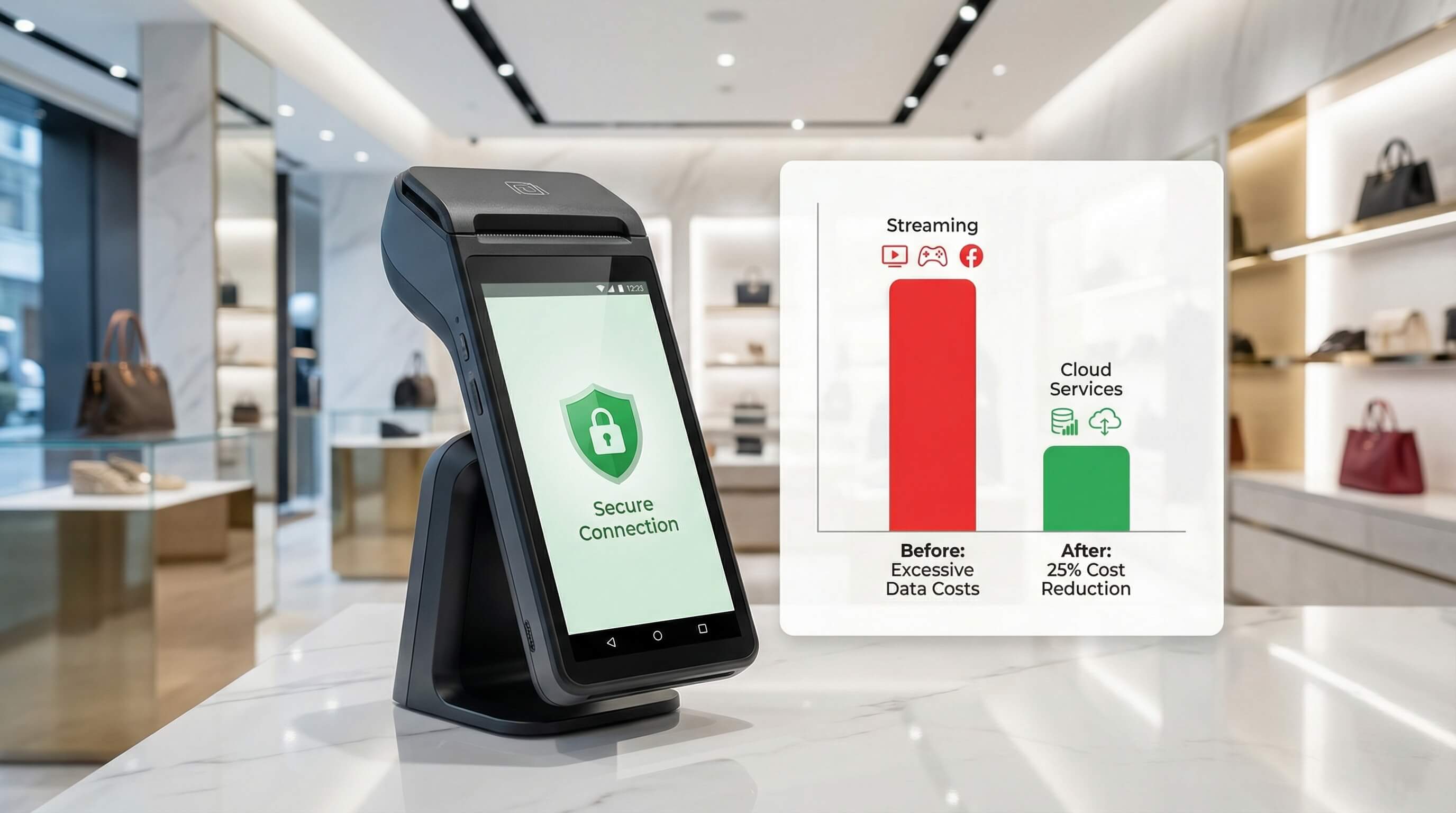
A large retail chain's POS terminals were used by employees for personal entertainment, leading to excessive public network bandwidth and the risk of payment data leakage. After implementing AirDroid Business, the IT department grouped all POS machines into the same policy group and disabled hotspots and USB debugging with a single click.
Result:
Store bandwidth costs decreased by 25% that month, non-business internet access was completely eliminated, and the security and integrity of the payment process were ensured.
3Remote real-time monitoring and consistency verification
MDM's remote real-time management capabilities are an important guarantee for ensuring that enterprise equipment continues to meet compliance requirements.
Immediate policy activation
Administrators can intervene in device status at any time via the console. Once a "disable hotspot" command is issued, the device will respond and execute it within seconds while connected to the internet, without needing to contact the device user.
Multi-dimensional status monitoring

Administrators can view device data in real time to ensure 100% policy implementation.
Strategy execution status
Clearly display whether the policy for each device has been successfully synchronized and taken effect. For devices that have not been successfully synchronized, a "force refresh" can be manually triggered.
Operation log audit
The system records all relevant operations in detail (such as policy deployment time, permission change records, and device response status).
These logs are stored encrypted and cannot be tampered with, helping enterprises meet compliance audit requirements.
Solving the ‘Black Box’ of Control
This visualization capability solves the problem of not being able to grasp the real-time status of devices in the traditional model, enabling IT teams to accurately grasp the compliance status of each device.
Case Study:
A multinational logistics delivery team's couriers frequently travel between different cities using handheld terminals, making them inaccessible through traditional methods. By utilizing remote policy distribution capabilities, even when devices move geographically, hotspot disabling policies can be forcibly received as long as the device is connected to the internet.
Result:
This solved the problem of "management limitations," achieved 100% policy consistency across tens of thousands of devices globally, and met the company's stringent audit requirements.
Achieve 100% Compliance for Remote Devices
Manage devices in different cities as easily as if they were in your hand. With AirDroid Business, you can force-sync security policies to roaming devices instantly and audit compliance status in real-time from a single dashboard.
4Conclusion: Build a traceable mobile access governance system
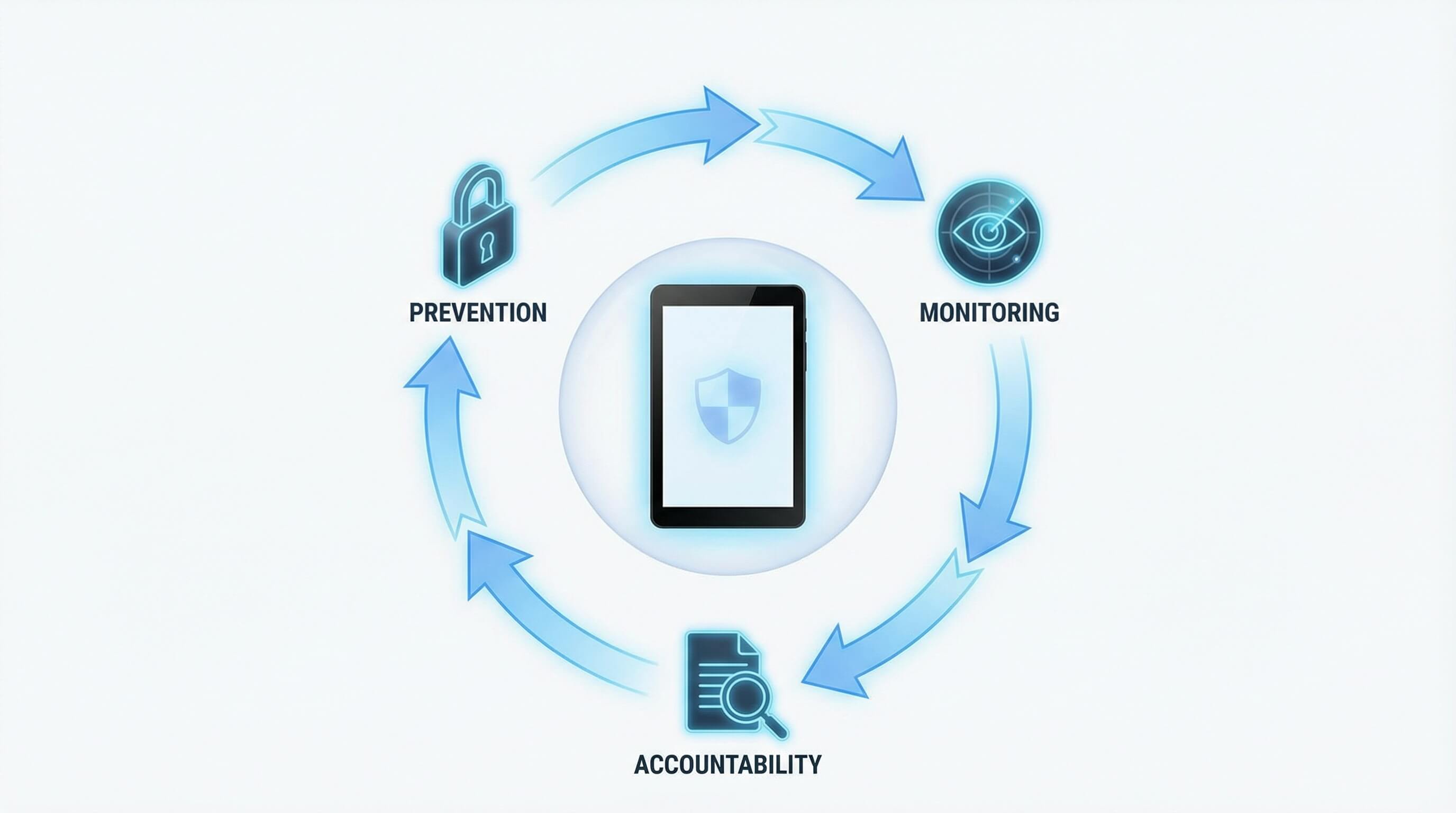
Remotely disabling hotspots is not only about saving bandwidth, but also about establishing a mandatory compliance system. AirDroid Business, through its fundamental locking mechanism, completely eliminates the possibility of employees bypassing controls.
Combined with real-time status monitoring and tamper-proof operation logs, enterprises can establish a closed-loop management solution that effectively reduces the risk of data breaches by ensuring prevention before the incidents occur, traceability during incidents, and post-incident accountability.



Leave a Reply.