
- Centralized kiosk lockdown across Android and Windows devices
- Remote wipe, troubleshoot, and update without a single site visit
- Real-time device monitoring with instant alerts for security events
- Automated HIPAA compliance reports, ready before every audit
Healthcare Kiosk Management: How MDM Keeps Patient Data Secure and HIPAA Compliant
- Quick answer:
- Healthcare kiosks need special Mobile Device Management (MDM) to keep patient data safe under HIPAA rules. Medical kiosks are very easy to hack because they are in public places and work all the time without IT supervision, unlike regular devices. MDM reduces these risks by putting devices in "Kiosk Mode," which makes sessions time out automatically, lets you wipe data from a distance, and keeps compliance logs that are ready for an audit.
- 1 : What are healthcare kiosks, and why do they need special management?
- 2 : What are the five biggest security issues in managing healthcare kiosks?
- 3 : How does healthcare MDM technology deal with security problems at kiosks?
- 4 : What MDM Features Should Healthcare Organizations Put First?
- 5 : A real-world example: How a European healthcare provider used AirDroid Business to manage more than 1,200 medical devices.
1What are healthcare kiosks, and why do they need special management?
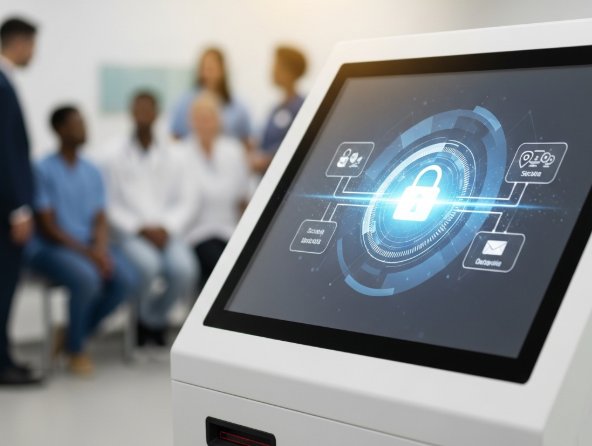
What are kiosks for healthcare?
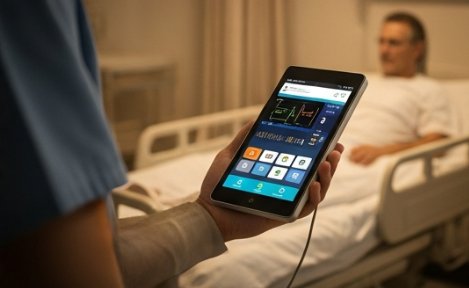
Healthcare kiosks are more than just the self-check-in screens you see in hospital lobbies. They have payment terminals, queue management systems, and lab result printers, but they also have a lot of other Android devices that are made just for certain medical tasks. A doctor on rounds might use a handheld terminal to look up patient records at the bedside. A community nurse might bring a portable monitoring device to a patient's home to keep an eye on their vital signs. These tools make it possible for healthcare professionals to help people in the hospital, in their own homes, and even in their own living rooms.
Why do healthcare kiosks need special management?
Healthcare kiosks deal with patient data that is protected by HIPAA, and regular device management tools just weren't made for that. Medical kiosks are open 24 hours a day, seven days a week, and are used by many people throughout the day. IT staff are not always nearby. In contrast, a regular office device is used by one person in a secure building with IT support close by. There is a big difference in risk.
The effects of bad management are just as bad. According to the U.S. Department of Health and Human Services (HHS), HIPAA violations can lead to civil penalties of up to $2.19 million per year for a single violation category, with criminal penalties potentially leading to imprisonment.
2What are the five biggest security issues in managing healthcare kiosks?
These problems don't usually happen by themselves. In most healthcare settings, they overlap and make things worse, which makes them much harder to handle without the right tools.
1Challenge 1: Unauthorized Access to Patient Data (Risk Level: Critical)
When more than one patient uses the same kiosk, session data doesn't always go away when the next person uses it. Patient A finishes looking over their records but forgets to log out. Patient B steps up and sees Patient A's diagnoses and treatment plan right away. Medical histories, test results, and prescriptions are some of the most private information that these systems hold. One unauthorized access event can hurt your reputation and get you in a lot of legal trouble.
2Challenge 2: Installing malware and tampering with devices (Risk Level: Critical)
It's easy to attack kiosks that are open to the public. Anyone can walk up and try to plug in a USB drive or install software without permission, and in a busy hospital, that can go unnoticed for hours. A massive 2020 ransomware attack on Universal Health Services (UHS) forced staff at over 400 facilities to switch to manual paper records after their entire digital network was paralyzed, highlighting the vulnerability of healthcare endpoints.
3Challenge 3: Limited visibility for remote monitoring (Risk Level: High)
A big hospital could have hundreds of kiosks on different floors and campuses. Every day, no IT team can check every device in person. That makes blind spots, which are devices that go offline or show signs of tampering without anyone noticing until real damage is done.
4Challenge 4: Old software and slow updates (Risk Level: High)
One of the most common ways for hackers to get into a computer is through an operating system that hasn't been updated. The risk of negligence is quantified by industry research: a 2024 study revealed that 60% of breached organizations pinpointed a known, unpatched vulnerability as the primary culprit. Furthermore, data from the Ponemon Institute highlights that 56% of organizations admit their breaches occurred specifically because of vulnerabilities for which a patch was available but not applied.
5Challenge 5: Problems with HIPAA Compliance Audits (Risk Level: Medium)
HIPAA regulation 45 CFR § 164.312(b) mandates that organizations implement mechanisms to record and examine all activity in systems containing patient data. This means you must maintain detailed logs of who accessed ePHI, when it occurred, and from which device.
For healthcare providers, manually gathering these audit trails from hundreds of dispersed kiosks is not only incredibly slow but also highly prone to human error, potentially leading to failed audits and heavy fines.
3How does healthcare MDM technology deal with security problems at kiosks?
Healthcare MDM solves all five of the problems listed above with one management platform.
- Stopping Unauthorized Access: MDM makes sure that session timeouts happen automatically and that single-app kiosk mode is locked down. This means that devices reset between users and patients can only use the app they are supposed to.
- Preventing Malware: MDM stops malware by turning off USB ports and enforcing application whitelists that only let certain medical apps run. Healthcare organizations implementing these centralized controls have reported a drastic reduction in security vulnerabilities, effectively closing the entry points most commonly targeted by hackers.
- Solving Remote Monitoring: IT managers can see the status of all the devices they manage on a real-time dashboard. You can lock and wipe data from anywhere, at any time.
- Keeping Software Up to Date: MDM automatically sends out large system updates and security patches during off-peak hours, so kiosks always have the most up-to-date software without interfering with patient services.
- Making HIPAA Compliance Easier: Every time a device is accessed or its settings are changed, it is automatically logged. The compliance report is ready when the audit comes.
4What MDM Features Should Healthcare Organizations Put First?
In a healthcare setting, not all MDM features are equally important. Focus on what directly protects patient data and helps with kiosk management that follows HIPAA rules.
- Kiosk Mode (Single-App Lockdown): Locks the device to one app that is allowed. Only patient check-in systems, appointment tools, and secure payment portals should be on the whitelist.
- Lock and Wipe Remotely: If a device is lost or stolen, your team can wipe all patient data from it within 60 seconds, stopping a possible breach before it happens.
- Application Whitelist Management: Only apps that have been approved can run on managed devices. Any software that isn't authorized can't be installed or run automatically.
- Automated Compliance Reporting: MDM makes reports that are ready for HIPAA automatically, which saves IT teams a lot of time during each audit cycle.
- Network Security Policy Enforcement: MDM says that all kiosks must connect through encrypted enterprise Wi-Fi, which keeps patient data safe while it is being sent.
5A real-world example: How a European healthcare provider used AirDroid Business to manage more than 1,200 medical devices.
Picture having to register 1,200 medical devices by hand, one at a time, in different places, with no automation and no way to skip a step. Before switching to AirDroid Business, that was the daily reality for one European healthcare services provider.
Before AirDroid Business:
It took a long time and was not practical to enroll devices because it was all done by hand.
When the wrong version of an app was sent to devices, there was no way to stop the installation. This meant that doctors couldn't use their devices while they were seeing patients.
If there was a technical problem, an engineer had to go to the site, which raised costs and response times.
After using AirDroid Business:
Zero-touch bulk enrollment cut a process that used to take weeks down to just a few days. With remote control, administrators could stop a bad app push in real time. With staged deployment, updates were sent out in batches, so a bad push never affected all 1,200 devices at once. Device location tracking was locked at the administrator level, which meant that every device could be tracked at all times. Most technical problems were fixed remotely, and visits from engineers on site went down a lot.
The AirDroid Business features that set it apart:
- Kiosk Mode: Only authorized apps can be used on the device.
- Remote Control and Troubleshooting: Most problems were fixed without having to go to the site.
- Bulk Application Management: Updates rolled out in stages to all 1,200 devices.
- Device Location Tracking: The administrator can turn it on or off, but users can't.
- Monitoring usage and keeping track of history: reliable data for operations and compliance.
Conclusion
Managing healthcare kiosks requires more than just a standard MDM tool. Because of HIPAA requirements, sensitive patient data, 24/7 operation, and large fleets spread out over a wide area, a solution needs to be made just for this situation.
AirDroid Business has everything your healthcare organization needs in one place: kiosk mode lockdown, remote wipe, application whitelisting, automated compliance reporting, and real-time device monitoring.
FAQs
How long does it take to set up MDM?

Zero-touch enrollment can handle more than 100 devices in two to three days. Depending on the size of the fleet, full implementation, including training for staff, usually takes 4 to 6 weeks.
How much does it cost to have MDM for healthcare kiosks?
Most MDM services charge you a monthly fee for each device, which can be anywhere from $2 to $9, depending on the features you need. The monthly cost of AirDroid Business is $1~2.75 per device.
Does MDM work with all kinds of healthcare kiosks?
Yes. Most MDM solutions work with Android, iOS, and Windows. Most medical kiosks run Android, so before you sign up, make sure your provider offers full Android Enterprise support.


Leave a Reply.