



Kidslox Features & Experience
- Screen Time Management: Kidslox allows parents to set daily screen time limits and schedules. We found it worked consistently on both Android and iOS devices, and it lets us block device access at bedtime or during study hours.
- Live Location & Route History:Parents can see a child's real-time location and track their route history. The live location feature was accurate and updated frequently. Route history helped us understand where the device had been over the past few days. Geofencing alerts worked well, notifying us when the device entered or left predefined areas.
- App & Website Blocking: Kidslox can block specific apps and websites. We tested blocking social media and adult content sites. Blocking worked effectively, though some lesser-known apps required manual addition to the block list.
- Listening to Surroundings & One-Way Audio: Kidslox allows one-way audio monitoring in certain situations. We tested this feature in a safe environment. Audio access worked but required explicit device permissions. It could be useful for checking a child’s surroundings, but parents should inform children for ethical and privacy reasons.
- Browsing History Tracking: Parents can view the child’s web browsing history. We found the history logs detailed and easy to read.
- Telescope: It captures the screen of your kid's phone automatically or manually. But I found the connection delays. Most of the time, I received the screenshots after more than 5 minutes.
Your Best Alternative: AirDroid
- Detailed Comparison


- Google Play Store Rating4.74.3
- Pricing$5.00 / month(billed annually)$4.69 / month(billed annually)
- Free trial7 days free trial3 days free trial
- Monitor Calls & Messages


- Screen Time
- Block Websites & AppsRead More
 AirDroid can filter 31 web categories on Android and 29 categories on iOS, ensuring a safer browsing experience across devices.Kidslox doesn't show categories by default. It says it can block 5 million sites. You can't choose categories by yourself.
 - Detect Social Content
- Sync App Notifications
- Remote Camera


- Live Location
- Listen to Surroundings
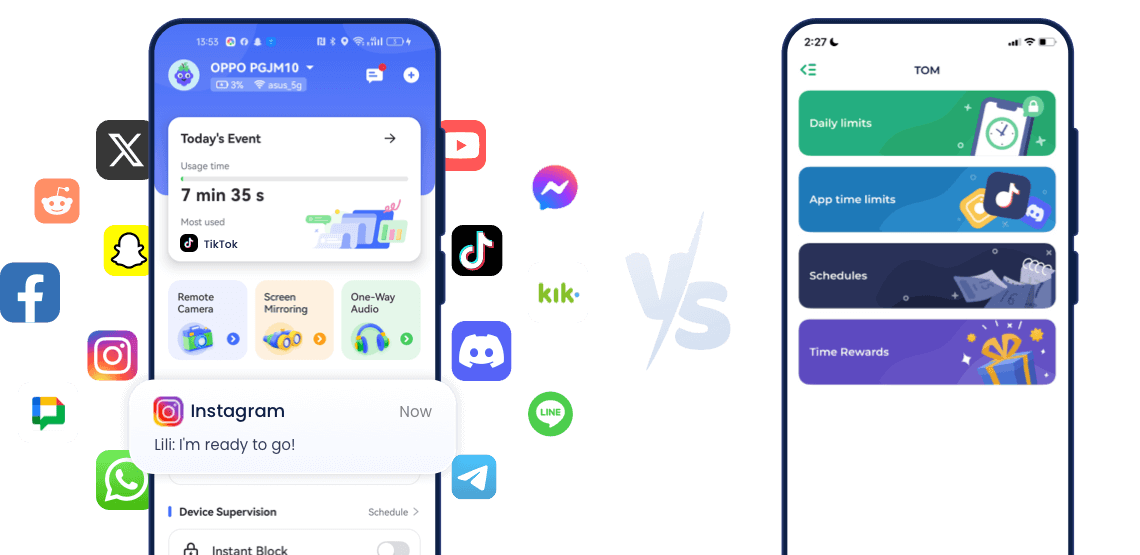
- Screen MonitoringRead MoreAirDroid allows you to have access to your kids' live screen remotely. You can check what your kid is watching at any time.Kidslox only supports telescope, which you can get a screenshot of your kid's screen every 5 minutes.
- Family Chat
What Makes the Biggest Difference for Parents


Safety MonitoringMany parents worry about what their kids are doing on their phones: who they talk to, what they watch, and whether they are exposed to risky content.
With AirDroid, parents can see messages, calls, app notifications, and even detect social content that may include bullying, sexting, or harmful topics in real time.
This gives a complete picture of the child’s online environment.Kidslox only offers screen time and location, so parents can control usage time, but they don’t see what is actually happening on the device.
⭐Advice : If your priority is to know what your child is doing and whether they are safe, AirDroid offers much greater visibility.

Block and Filter Harmful WebsitesParents need a reliable way to prevent access to adult sites, gambling, violence, scams, and other dangerous content.
AirDroid provides category-based filtering: 31 web categories on Android, and 29 categories on iOS. This means parents can block entire groups of risky sites at once, ensuring a safer browsing experience.
Kidslox claims it can block 5 million websites, but parents cannot choose categories or see what is covered, so they have less control and less transparency.
⭐Advice : For parents who want a clearer, safer solution, AirDroid’s category filtering makes protection much easier.

Support Family CommunicationModern family life is busy, and parents need a simple way to communicate with kids while they are at school or outdoors.
AirDroid includes Family Chat, so parents and children can talk safely inside the app, without switching platforms.
Kidslox does not offer built-in communication.
⭐Advice : Family Chat makes AirDroid more convenient for daily use and coordination.

Locate a Lost or Missing DeviceWhen a child is outside, accurate location is critical. Both AirDroid and Kidslox offer live location tracking, so parents can find devices and check where their kids are.
However, AirDroid also includes remote camera and listen to surroundings, which help parents understand the situation more clearly if something looks suspicious.
⭐Advice : Location alone is helpful, but AirDroid’s extra tools provide more safety information in real time.

Check What Kids Are WatchingSometimes parents just want to see what is on the screen right now, whether it’s YouTube, a game, or a chat.
AirDroid supports real-time screen monitoring, so you can remotely view your child’s screen at any moment. If something looks wrong, you know instantly.
Kidslox only offers Telescope mode, which sends a screenshot every 5 minutes. Some important moments may be missed.
⭐Advice : Real-time access makes AirDroid much better when parents need instant visibility and fast reactions.

Value for Money & Free TrialAirDroid provides more features, and still offers flexible pricing.
AirDroid: 7-day free trial, $5.00/month.
Kidslox: 3-day free trial, $4.69/month
For a small difference in price, AirDroid includes: Call & message monitoring, Screen monitoring, Social content detection, Remote camera, Sync notifications, Category filtering, and Family chat
⭐Advice : Parents get a lot more safety tools for just a slightly higher price, making AirDroid better value overall.
Final Verdict at A Glance
Best For:Parents who focus on prevention and detect more apps for potential risks.
- Overall Rating:
- Key Strength: You can block more websites and detect more apps, check your child’s surroundings, or monitor their screen to see what they are doing.
Best For:Parents who want to who wants quick emergency alerts for their child.
- Overall Rating:
- Key Strength: It has an SOS button, so you will get an alert quickly if your child is in danger.

What You Can Do with AirDroid Parental Control
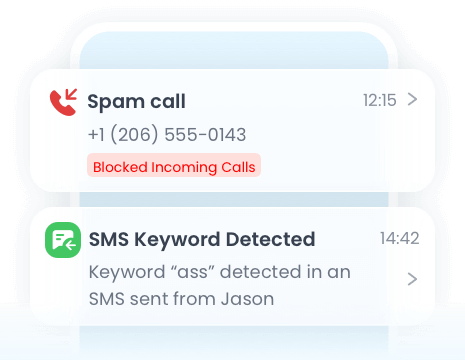
Monitor your child’s calls and text messages in real time. Stay informed about who they’re communicating.
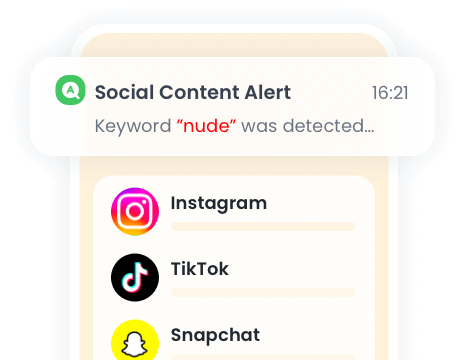
Detect risky or inappropriate content shared on your child’s social apps, which helps you stay alert to potential dangers.
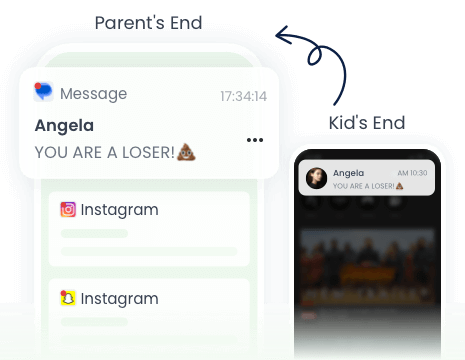
View incoming alerts from apps, messages, and social media to stay aware of their digital activity in real time.
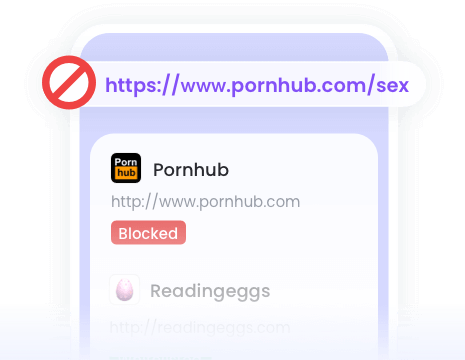
You can filter content across 31 categories, helping your child explore the internet safely and responsibly.




What Parents Say?
Frequently Asked Questions about AirDroid
1. Do kids know the app is installed on their device?
Parents can choose whether to hide the app icon on the child’s device. If parents hide it, AirDroid runs quietly in the background, so kids may not notice it during daily use. All monitoring is visible to parents from their own device.
2. Can I see my child’s live screen in real time?
Yes. AirDroid shows the live screen instantly, so you can see what your child is watching at any moment. This helps you react quickly if something looks unsafe.
3. Can I block specific websites or categories?
Yes. AirDroid blocks websites by categories, including 31 categories on Android and 29 on iOS. Parents can prevent access to adult, gambling, violence and other dangerous content with one click.
4. Can I monitor calls, messages, or app notifications?
Yes. AirDroid can monitor phone calls, messages, app notifications and detect risky social content.
This gives parents a complete view of their child’s digital activities.5. Does AirDroid work on both Android and iOS?
Yes. AirDroid supports both Android and iOS devices. Parents can monitor from any phone, tablet or computer.
6. Is my child’s data safe?
All data is encrypted and only visible to the parent account. No information is shared with third parties.
7. Can I monitor more than one device at the same time?
Yes. One parent account can manage multiple devices, which is ideal for families with more than one child. You can see each device from the same dashboard.


Uninstall Protection

Co-Parenting Made Easy

One Account Multiple Devices

GDPR Compliance
Stephane Valcauda
AirDroid Parental Control is a reliable and easy-to-use app that helps me monitor my child's online activity in real-time. The screen mirroring and app usage reports give me peace of mind and control.
Emma Lawson
This app provides 24-hour care for kids. You can chat with your family and control your camera using this app.
Ethan Walker
This is the best parental tracking app on the market to make sure your kid is safe. its definitely worth the price.