



Features Comparison
- Detailed Comparison


- Google Play Store Rating4.74.6
- Pricing$5.00 / month(billed annually)$9.20 / month(Gold subscription)
- Live Location


- Route HistoryRead MoreAirDroid allows you to check route history within 30 days.iSharing provides 90-day of location history.
- Geofencing
- Remote CameraRead More
 AirDroid allows you to see the surroundings around your family with the cameras of your family's android.You can check street view preview on iShairng, but this feature is only available in areas where Apple Look Around is supported.
 - Screen Time

- Block Websites & Apps
- Detect Social Content


- Monitor Calls & Messages
- Sync App Notifications
- Detect Inappropriate Images
- Family Chat
Final Verdict at A Glance
Best For:People who want to manage their family’s screen time, ensure safe search, and stay aware of their family’s real-world environment.
- Overall Rating:
- Key Strength:
AirDroid allows you to manage screen time, monitor social content, block harmful websites and check their surroundings to ensure they’re safe.
Best For:People who want to give their family more privacy and only focus on their location.
- Overall Rating:
- Key Strength:
iSharing allows you to share a real-time location with your friends or family. It can also detect your family's driving speed to ensure their safety.

What You Can Do with AirDroid Parental Control
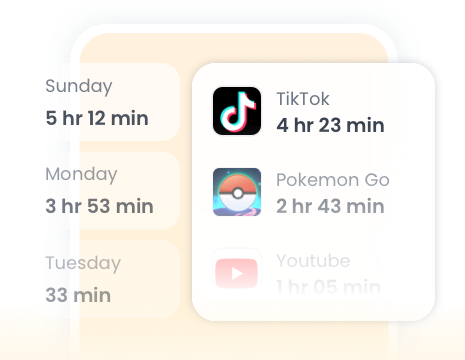
Set daily limits, block apps during study or sleep, and guide your family to build healthy phone habits.

Detect inappropriate images on your child’s device. It alerts you when risky or unsafe photos appear, helping you protect your child from harmful content early.
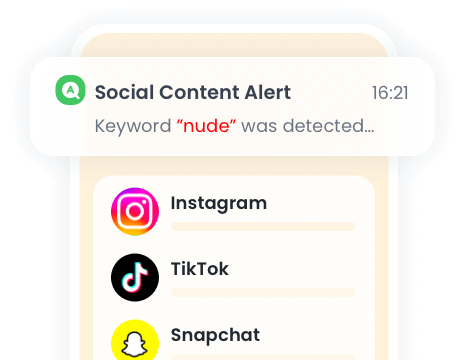
Detect risky social content your child sees or sends, such as bullying, violence, or unsafe messages. It alerts you early so you can protect your child online.
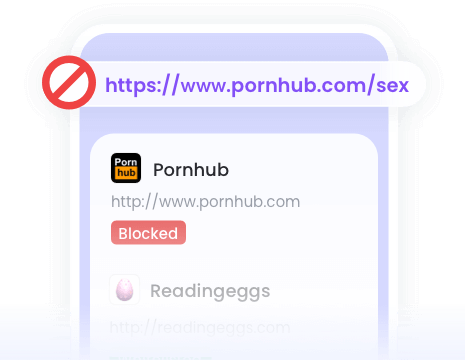
Block harmful websites like adult, violent, or unsafe pages. It helps keep your child safe online by stopping them from opening risky content.







What Parents Say?


Uninstall Protection

Co-Parenting Made Easy

One Account Multiple Devices

GDPR Compliance
Stephane Valcauda
Amazing app for parents! It’s easy to use and really helps me keep an eye on my kid’s online activity safely. The alerts and tracking features work perfectly. Totally worth it 👨👩👧📱💙
Emma Lawson
This app is absolutely fantastic! It runs smoothly without any lag, and the interface is so easy to use. I love how organized everything is, and all the features work just as promised. It has genuinely made my daily tasks faster and simpler.
Ethan Walker
It was a wonderful experience with this amazing app. I often use this app to control my younger sister's phone activity.