
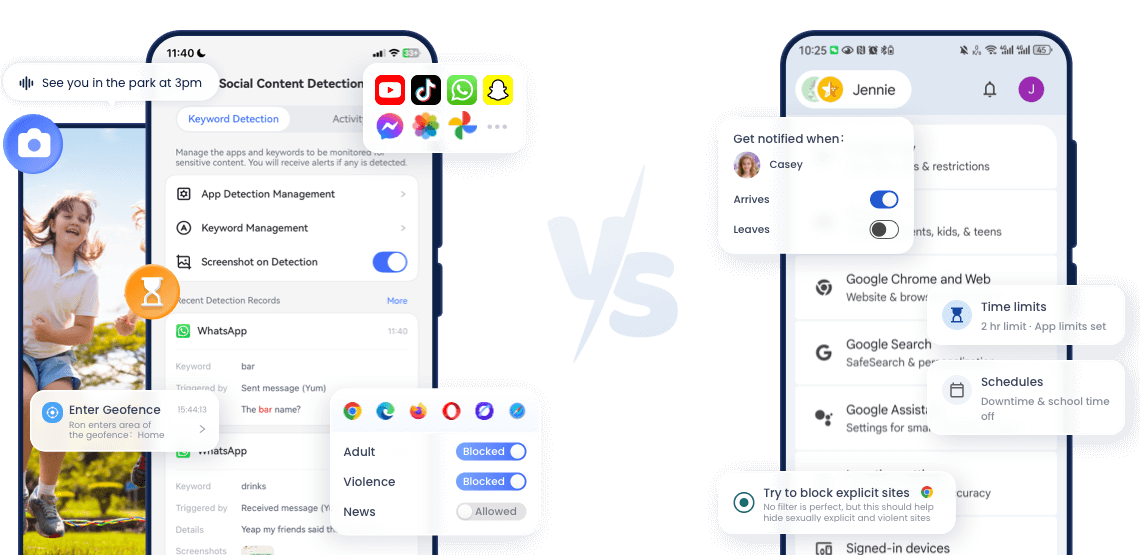

How We Compared AirDroid and Google Family Link
- This comparison is published by AirDroid. To keep it useful and transparent, we conducted hands-on testing (see our testing methodology) and also checked sources in September 2026: Google Family Link device support, location alerts, and parental-control help; AirDroid Parental Control pricing and platform-specific feature documentation.
- Feature availability may vary by operating system, device model, region, account type, app version, and permissions. We identify important Android and iPhone differences instead of assuming that every feature works identically across platforms.
- Child devices: Google Pixe 7 running Android 17, iPhone 14 running iOS 18
- Last reviewed: September 2026
Get Your Best Fit in 30 Seconds
- Your family uses a mix of Android and iPhone devices.
- You want to manage supported child-device controls from a parent phone or web dashboard.
- You need route history in addition to live location and place alerts.
- You want more safety context on a child’s Android device, such as social-content alerts, notification syncing, screen viewing, or remote camera and audio features.
- You are comfortable paying for additional monitoring capabilities and using them openly and responsibly.
- Your child mainly uses an Android phone, tablet, or Chromebook.
- You do not need social-content alerts, notification syncing, route history, or remote access to the child’s screen and surroundings.
- You need basic screen-time limits, app blocking, Google Play approvals, and Google-service controls.
- You want a parental-control solution without a subscription fee.

Neither product is the best choice for every family. Google Family Link may already be enough if your goal is basic Android screen-time and app management. AirDroid becomes more relevant when your devices are mixed or when you need context that Family Link does not provide.
AirDroid vs Google Family Link at a Glance
- ComparisonAirDroid Parental ControlGoogle Family Link
- CostPaid premium plans; 3-day free trial availableFree
- Platform & Ecosystem
- Fully managed child platformsSupported Android and iOS devices; features vary by operating systemAndroid / ChromeOS
- Parent accessAndroid app, iPhone app, and web dashboardAndroid app, iPhone app, and web access
- Ecosystem DependencyLow (cross-platform)High (Google)
- Basic Controls
- Screen Time


- App Limits
- Google Play approvals and Android app permissionsEnable the automatic blocking for newly downloaded apps
- Safety & Location
- Live Location
- Route or location historyNo comparable route-history view in Family Link
- Arrival and Departure Alerts
- Teen Driving Safety

- Content & Risk Control
- Web FilteringBroad, coverage varies by operating system and browserChrome and Google-service controls; coverage varies by device, browser, sign-in state, and supervised-account settings
- Social Risk DetectionOn Android: detects unsafe activity on social apps like WhatsApp, Instagram, TikTok, YouTube and 10+ popular apps.
On iOS: currently only support YouTube - AI Chatbot MonitoringMonitor conversations in AI apps, including ChatGPT, Gemini, and Character AI.
- Advanced Monitoring
- Notification SyncingChild Android only
- Live ScreenChild Android only
- Remote CameraChild Android only
- Ambient AudioChild Android only
- Family Chat
1. Device Compatibility: Start With the Child’s Device
- The child’s device matters more than the parent’s device.
- AirDroid supports selected parental-control features on compatible Android and iOS child devices. Parents can manage supported devices from Android, iPhone, or a web dashboard.
- However, feature depth is not identical across operating systems. Screen-time controls, app management, web controls, location features, and family communication are available across supported platforms, while broader monitoring features—including Remote Camera, Ambient Audio, Notification Syncing, and Screen Mirroring—are limited to a child’s Android device.
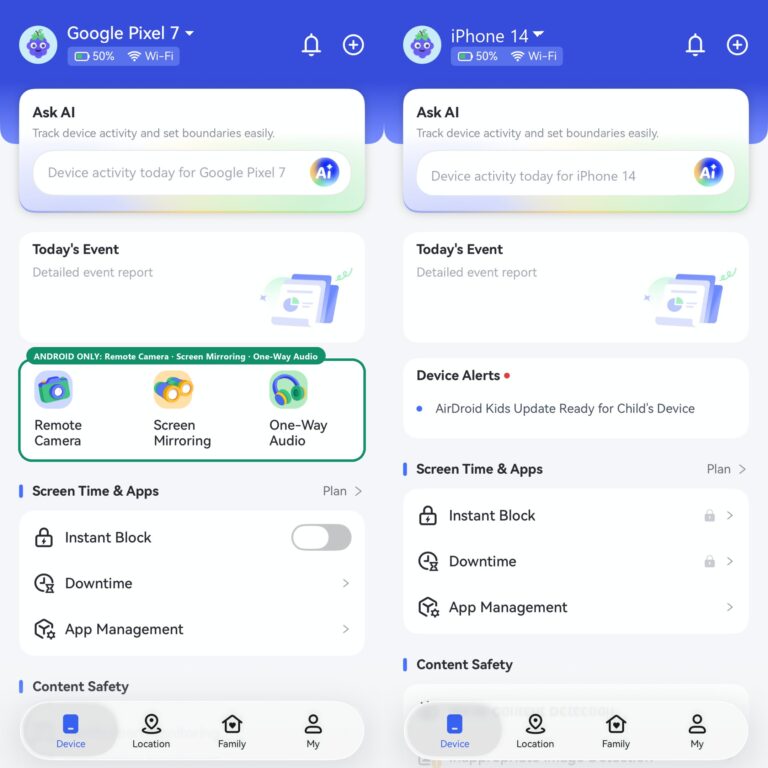

- Family Link provides its most complete supervision on a child’s Android device or Chromebook. Parents can use the Family Link app on Android or iPhone and can manage many settings from the web.
- A child signed into Google services on an iPhone or iPad can receive some account-level supervision, but Family Link does not provide full iPhone device management, app limits, or system-wide controls.
2. Price: Is Free Control Enough?
- Google Family Link does not require a subscription. That makes it a practical first choice for families that mainly need app approvals, time limits, location, and controls for Google services.
- At the time of review, AirDroid listed its Premium plans at: $9.99 per month, $19.99 per quarter, and $59.99 per year.
- The real question is not simply which product costs less. It is whether your family needs capabilities that Family Link does not provide.
- Family Link offers better value when:
- The child uses Android or ChromeOS.
- App approvals and screen-time rules are the main priorities.
- You do not need cross-app risk alerts or deeper device monitoring.
- AirDroid offers better value when:
- Your family needs to manage both Android and iPhone child devices.
- Route history or broader web controls matter.
- You need deeper safety signals from a child’s Android phone.
- One web-accessible dashboard is valuable to your family.
3. Screen Time and App Management
- Both products can help parents set digital boundaries, but they approach the task differently.
- What both products cover: daily screen-time limits, app blocking, scheduled downtime, activity or usage information, and remote changes from the parent’s device.
- Where Family Link is stronger
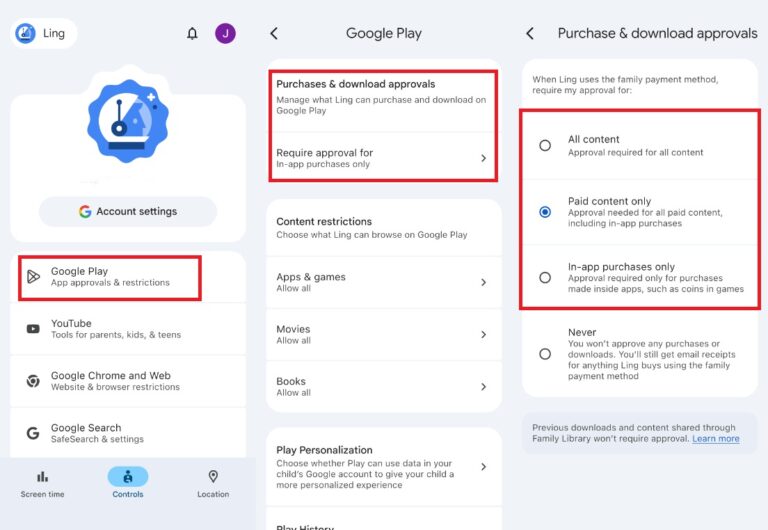
- Family Link is closely connected to Android and Google services. Parents can approve Google Play download requests, block apps, manage selected app permissions, apply content restrictions, and control parts of the child’s Google Account.
- This makes Family Link especially useful when the family’s main concern is deciding which Android apps the child can install, use, or grant permissions to.

- Where AirDroid Parental Control is stronger
- AirDroid is designed for families that need to manage supported controls across different operating systems. It also connects ordinary app and screen-time controls with location tools, web controls, activity reports, and—on a child’s Android device—additional monitoring and risk alerts.
- Best fit: Choose Family Link for Google Play approvals and Android account-level controls. Choose AirDroid when cross-platform management and additional safety context matter more.
4. Location: Both Offer Alerts, but AirDroid Adds History
- Both products can show a child’s current location on supported devices. Both can also notify parents when a child arrives at or leaves a saved place.
- The important difference is location history. Family Link does not provide an AirDroid-style route-history view for parents.
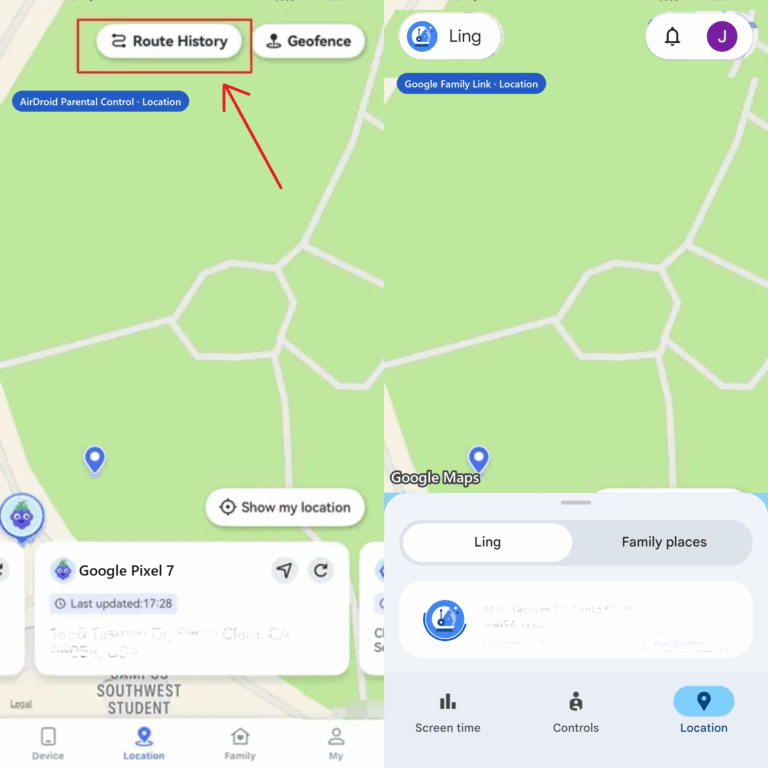
- Best fit: Family Link is enough if you mainly need to know where the child is now or whether they reached home or school. AirDroid is more suitable when reviewing past routes is an important requirement.
5. Social, Message, and Device Monitoring: Where the products differ most
- AirDroid on a child’s Android device:
- Depending on the feature, device, permissions, and supported service, AirDroid can provide:
- Social-content or keyword risk alerts
- Notification syncing
- SMS keyword detection and supported call controls
- Inappropriate-image detection
- Live screen viewing
- Remote camera access
- Ambient audio
- Browsing activity and website controls
- These features can give parents more context than an app-usage timer alone. They also involve more sensitive information and should not be described as universally available across Android and iPhone.
- Google Family Link:
- Family Link does not let parents remotely see the child’s screen or listen to phone calls. It also does not provide comparable cross-app social-message monitoring or notification syncing.
- Its focus is different: managing the child’s Google Account, Android apps, screen time, location, and access to Google services.
- Best fit: Choose AirDroid if deeper Android safety monitoring is a defined need. Choose Family Link if account, app, time, and Google-service controls are sufficient.
6. Web and Content Controls
- Family Link can manage content settings across services such as:
- Google Chrome
- Google Search and SafeSearch
- YouTube and YouTube Kids
- Google Play
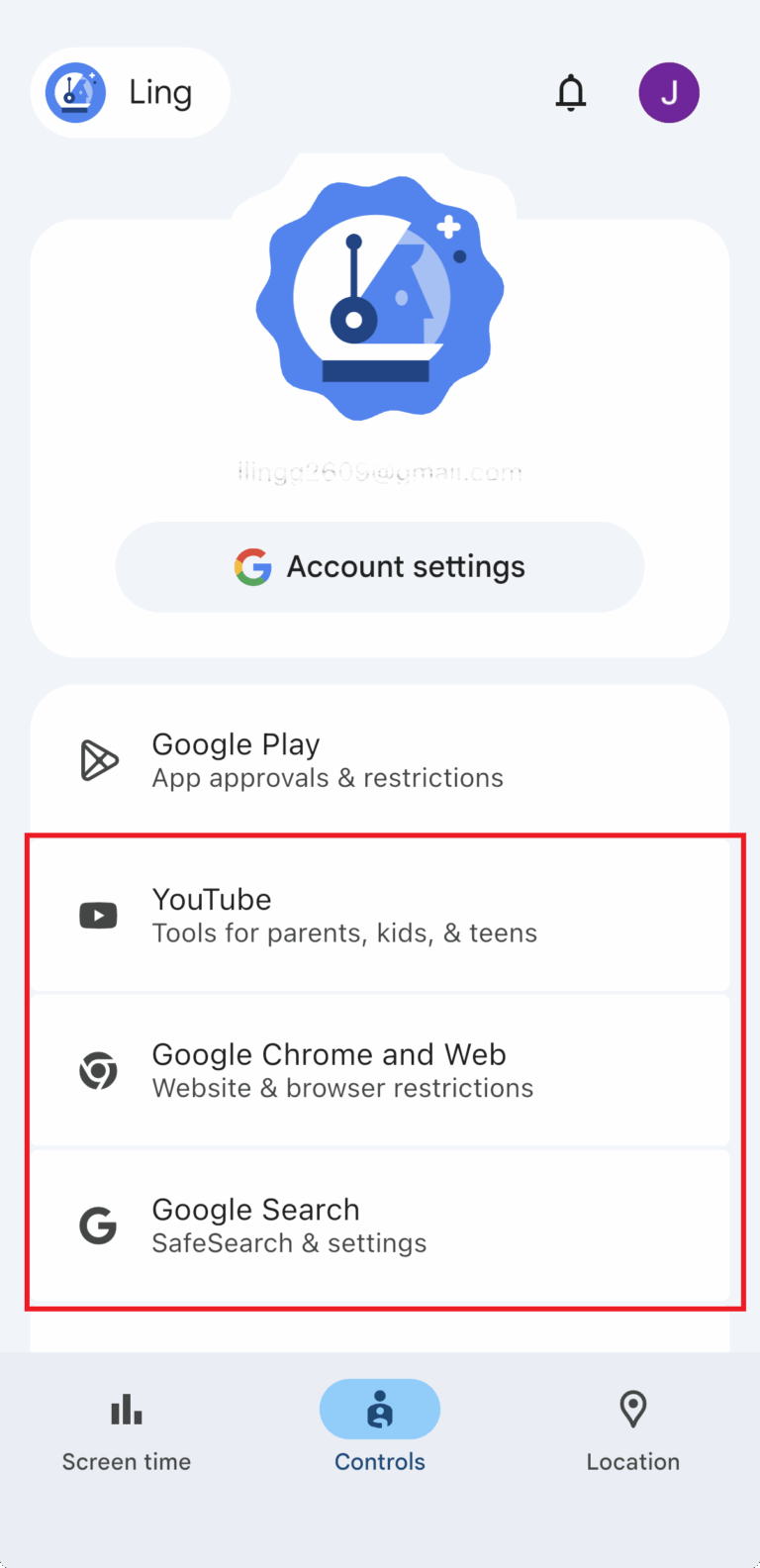

- Parents can allow or block specific websites in Chrome and select supported content settings. Google also makes clear that no filter is perfect.
- AirDroid provides website filtering, browsing information, and supported content-risk alerts. Its advantage is the ability to combine web controls with other safety signals and to provide selected controls outside the Google ecosystem.
- Best fit: Family Link is the stronger fit for families primarily managing Google services. AirDroid Parental Control is more relevant when parents need controls and risk signals beyond Google’s own apps.
Pros & Cons Summary (Decision-Focused)

 Where AirDroid Shines
 - Supports selected controls across Android and iOS child devices
- Parent access through mobile apps and a web dashboard
- Route history in addition to live location and place alerts
- Safer content and device monitoring on a child’s Android phone
- Combines screen time, web, location, and risk alerts in one service
 What Could AirDroid Be Better
 - Requires a paid plan for ongoing premium use
- Advanced monitoring features are not equally available on Android and iPhone
- Setup and feature reliability can depend on permissions, background-running settings, device model, and operating-system restrictions
- Before enabling remote camera, ambient audio, notification syncing, or screen viewing, discuss the purpose with your child, use the least intrusive feature that meets the safety need, and check the device, account, and local-law requirements that apply to your family
- What Family Link Works Well
- No subscription fee
- Strong integration with Android, ChromeOS, Google Play, and supervised Google Accounts
- App approvals, app blocking, permission controls, screen-time limits, and schedules
- Live location and arrival or departure alerts on supported devices
- Suitable for both children and supervised teens
- What Family Link Falls Short
- Does not fully supervise a child’s iPhone or iPad
- Content controls are concentrated in Google services and Chrome
- No parent-facing route-history view comparable to AirDroid
- No notification syncing, cross-app social-content monitoring, live screen view, remote camera, or ambient audio
Which One Should You Choose?
- Choose AirDroid Parental Control for a mixed-device family
- AirDroid is the better fit when children use a combination of Android and iPhone devices and parents want one place to manage supported screen-time, web, location, and family-safety tools.
- Remember that advanced monitoring varies on a child’s Android device.
- Choose AirDroid for more safety context on Android
- If app-usage totals are not enough and you need supported risk alerts, notification context, route history, or emergency-oriented screen and surroundings access, AirDroid Parental Control provides capabilities that Family Link does not.
- Choose Google Family Link for free Android basics
- Family Link is the better starting point when your child uses Android or a Chromebook and your priorities are app approvals, screen time, location, and Google-service controls.
- You may not need to pay for another product if these capabilities solve the problem.
- Consider another option for an Apple-only family
- If every parent and child device is an iPhone, iPad, or Mac, compare AirDroid with Apple Screen Time before deciding. Family Link is not a full iPhone device-management solution.
Keep Your Child Safe on Every Screen and Every Street—Tap to Protect Now
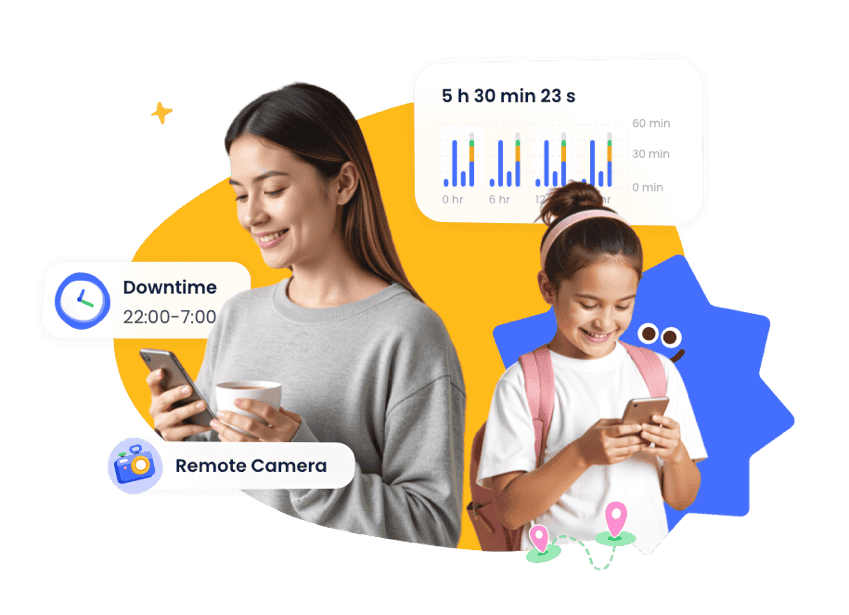





AirDroid vs. Family Link: Where We Go Further
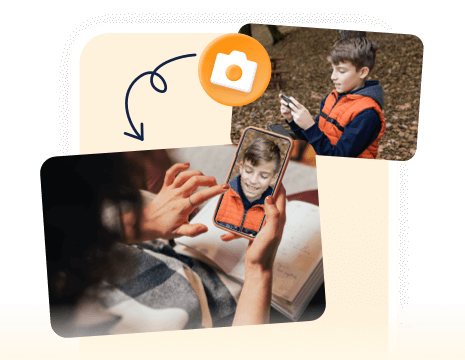
See what’s around your child in real time — perfect for safety checks anytime, anywhere.
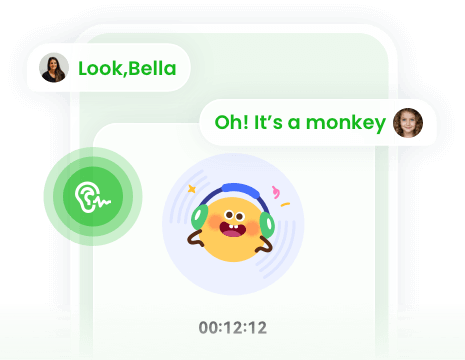
Listen to your child’s surroundings in real time for added safety.
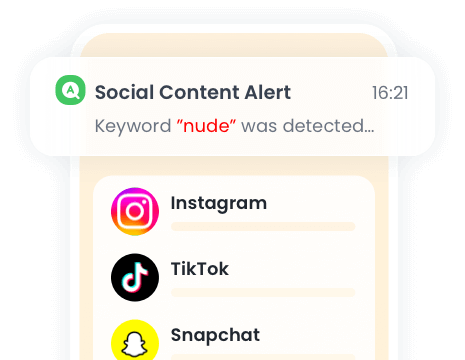
Filter harmful content on WhatsApp, Snapchat, and 10+ other apps with real-time alerts.
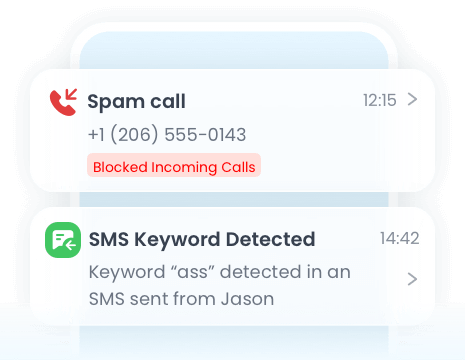
Monitor calls and SMS to stay aware of your child’s communications.
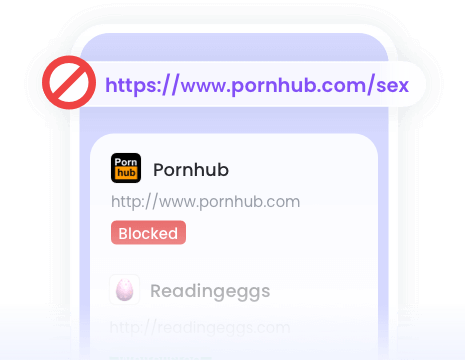
Track visited websites and set filters on Chrome, Edge, Firefox, Safari, and more.

Detect explicit images on your child’s device instantly for real-time protection.
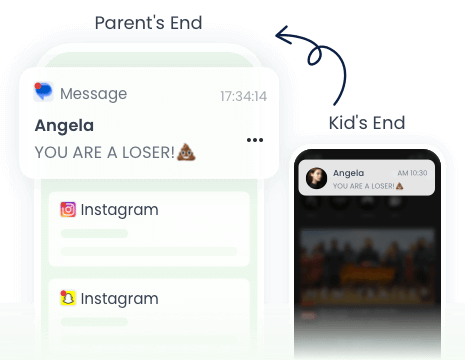
Sync notifications to see who your child chats with and spot risky messages.
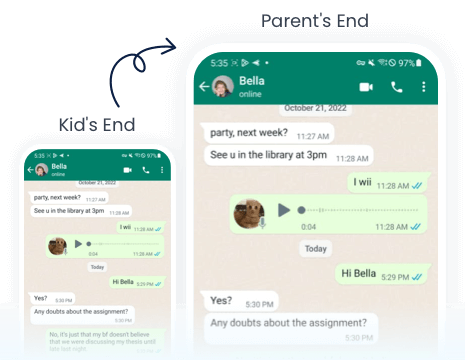
View your child’s screen live during urgent or suspicious situations.
Your Peace of Mind is One Tap Away
- AirDroid Parental Control
14,430,300 parents have downloaded it!
-


Uninstall Protection
-

Co-Parenting Made Easy
-

One Account Multiple Devices
-

GDPR Compliance
Frequently Asked Questions
Does Google Family Link work on a child’s iPhone?
Only partially. Parents can use Family Link on an iPhone, and some Google Account or Google-service settings can apply when the child is signed in. Family Link does not provide full iPhone app management, system-wide screen-time controls, or full device supervision.
Does AirDroid have the same features on Android and iPhone?
No. AirDroid supports selected parental control features on both platforms, but Remote Camera, Ambient Audio, Notification Syncing, and Screen Mirroring are only available on a child’s Android device. Specifically, Social Content Detection supports over 14 social media apps on Android devices, while on iOS devices it currently supports only YouTube.
Can Family Link show location history?
Family Link can show a supported child device’s current or recent location and send arrival or departure alerts. It does not provide a parent-facing route-history view comparable to AirDroid.
Is AirDroid worth paying for?
AirDroid is more likely to be worth paying for when your family uses mixed operating systems or needs route history, broader web controls, and extended Android safety monitoring. If you only need Android app limits, approvals, and current location, Family Link may already cover the essentials.