


Why AirDroid Is the Best Alternative
- Features Comparison



- Screen MonitoringRead More

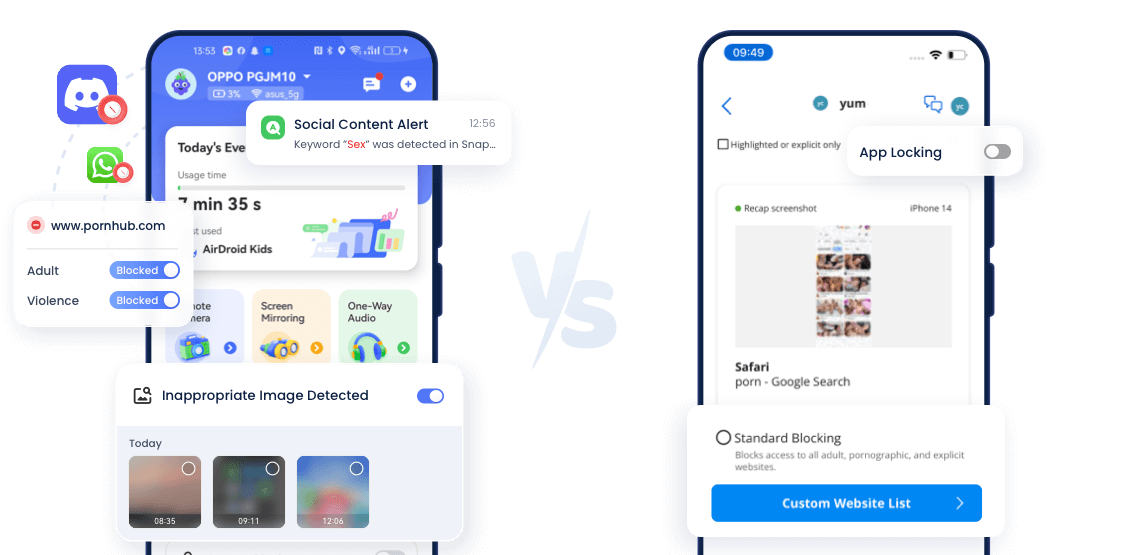
 AirDroidProvides real-time screen mirroringCovenant EyesMonitors screen activity by taking periodic screenshots
 - URL BlacklistRead More AirDroidBlocks entire website categories (like adult, gambling, or violence) or create custom URL blacklistsCovenant EyesBlocks predefined inappropriate sites or custom URLs
- Blocked Site AlertsRead More
 AirdroidSends instant notifications to parents when their child tries to open blocked sitesCovenant EyesCannot trigger any alerts
 - Explicit Content DetectionRead More
 AirdroidSpots inappropriate content by scanning keywords across social apps and SMSCovenant EyesFlags explicit content through timed screenshots
 - Web Activity TrackingRead More AirdroidProvides full browsing and search history, even in Incognito modeCovenant EyesCaptures only partial browsing activity through periodic screenshots
- App Blocker
- Screen Time Limits
- Instant Block


Quick Overview for Easy Selection
Designed For: Parental monitoring & porn blocking
- Screen Monitoring Quality:
1080p live view - Supported Devices:
Android, iOS - Pricing:
$9.99/month, $59.99/year
Designed For: Porn blocking
- Screen Monitoring Quality:
144p resolution screenshot - Supported Devices:
Android, iOS, Wins, Mac - Pricing:
$18.00/month, $184.00/year

Hands-On Experience

 Installing
The AirDroid Parental Control app is easy to find in the app store. But downloading Covenant Eyes was more confusing -- the name shown in the app store didn't match the product name, so I wasn't sure if I had the right app.
 Ease of Starting Free Trial
AirDroid offer a 3–14 day free trial without entering any credit card information. For Covenant Eyes, and you must provide your credit card to begin using the service.
 Interface & Usability
In terms of user interface, AirDroid delivers a more visual and beginner-friendly design, while Covenant Eyes require more effort to get used to. For example, its "app locking" feature is tucked away inside the companion app's settings, which isn't intuitive.
 Range of Features
From my experience, AirDroid clearly offers a wider range of features. It covers screen time limits, location tracking, website filtering, screen mirroring and even environment viewing. In contrast, Covenant Eyes focuses mainly on accountability and porn blocking.
 Managing Multiple Devices
During testing, AirDroid lets me create separate usage rules for each child‘s device, giving me more flexibilit. While with Covenant Eyes, all devices are tied to the same set of rules, which means you can't customize restrictions for each device.
 AI Integration
AirDroid uses AI to monitor harmful keywords in text, detect inappropriate images, and filter websites by category. Covenant Eyes, on the other hand, relies AI mainly for scanning images for explicit content.
 Stability & Bugs
When testing AirDroid, I ran into issues on Android where the companion app can't be downloaded properly. As for Covenant Eyes, I had to log in every day, and screenshots would sometimes be delayed. Plus, unbinding devices didn't always work.
 Privacy Feel
Since AirDroid allows real-time screen monitoring, which can feel intrusive for kids. Covenant Eyes is more privacy-friendly, offering only blurred screenshots and no real-time monitoring.
How AirDroid Can Help
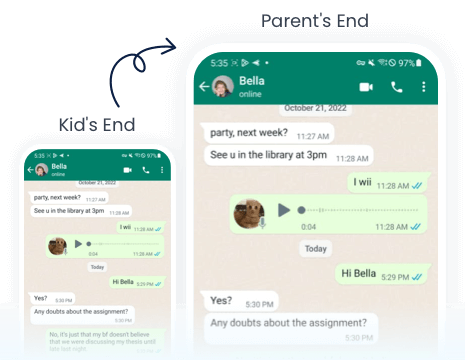
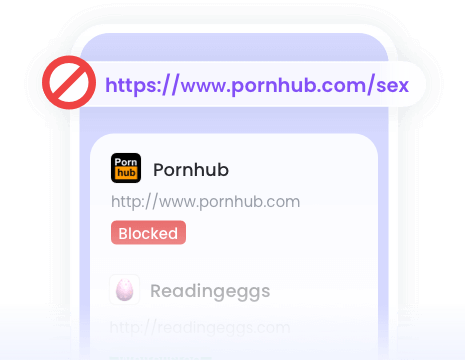
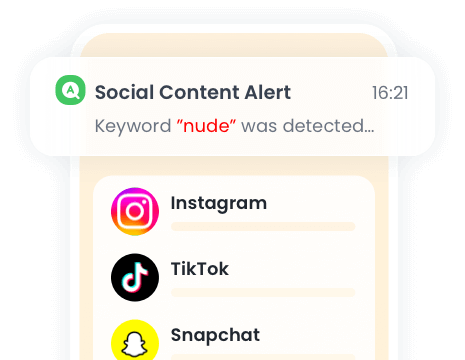
When a keyword is detected in social apps or SMS, you'll get an immediate alert with the details.

When an inappropriate image is saved to your child's device, you'll be notified.
More about Covenant Eyes
Does Covenant Eyes Monitor Instagram?
Yes, but not fully. Though Covenant Eyes can capture some in-app activity through periodical screenshots, all screenshots are only thumbnails and cannot be zoomed in. For more comprehensive monitoring of Instagram and other social apps, Covenant Eyes alternatives like AirDroid provides full app usage tracking and keyword-based monitoring.
Does Covenant Eyes Screenshot Text Messages?
Yes, its "Screen Accountability" feature can capture screenshots of text messages, especially on Android devices. However, all screenshots are small thumbnails and cannot be enlarged, so even if a message is captured, the detailed content cannot be read.
Is Covenant Eyes Free?
No. Covenant Eyes is not free. It offers a subscription-based service with a monthly or annual fee. However, they do offer a free trial period or promo code for new users to test the service.
How to Cancel Covenant Eyes?
To cancel Covenant Eyes' subscription, you have to contact Covenant Eyes Member Care via chat, email (support@covenanteyes.com), or phone (+1 989 720 8000). Not only that, you have to provide the correct answer to your security question for confirmation.
Switch to AirDroid Parental Control and Ensure Your Kids' Safety
14,430,300parents have downloaded it!
-


Uninstall Protection
-

Co-Parenting Made Easy
-

One Account Multiple Devices
-

GDPR Compliance