


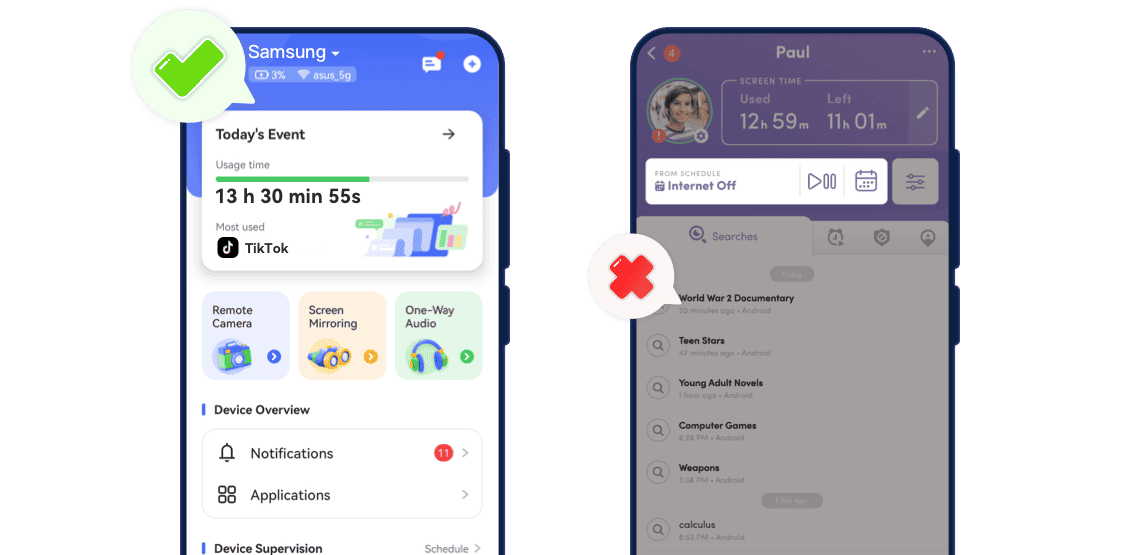
AirDroid Parental Control vs Net Nanny: Side-by-Side Feature Comparison
- Detailed Comparison

- User Ratings4.73.6
- Real-Time Screen Mirroring


- Remote Camera & One-Way Mic
- Social Media DM Monitoring + URL Block

- Screen-Time Scheduling
- Syn Notifications
- Calls & SMS Log
- Pricing Plan
- $9.99/month or $59.99/year (up to 10 devices)
- $39.99–$89.99/year (1–20 devices, no Android support)
- Cross-Platform SupportAndroid, iOS, Web DashboardWindows, macOS, iOS
- Removal PreventionAndroid device-owner mode + iOS uninstall alertBasic uninstall alert
- App Management
- Family Chat




Why AirDroid Parental Control Is the Smarter Choice
Best For: Parents seeking all-round protection with real-time visibility, app management, and instant location tracking.
- Overall Rating:
- Ease of Use: Quick setup, intuitive dashboard, and all tools in one place.
- Key Strength: Real-time screen mirroring, remote camera access, one-way audio, flexible app limits, and instant geofence alerts — giving parents live awareness, not just reports.
Best For: Families focusing mainly on web and content filtering, especially across iOS, macOS, or Windows platforms.
- Overall Rating:
- Ease of Use: Simple installation and strong website-filter tools.
- Key Strength: AI-based web filtering, profanity masking, and real-time alerts — effective for browser safety, but lacks live screen, app, and location control.

How AirDroid Parental Control Keeps Kids Safe
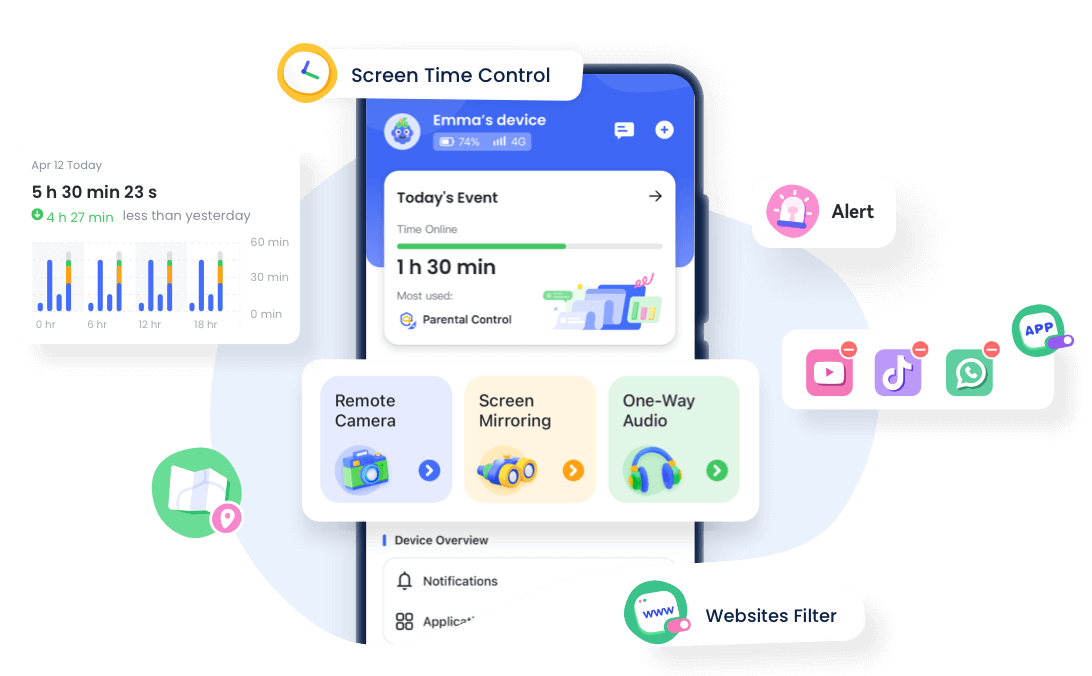
 Real-Time Screen Mirroring
Instantly view your child's device screen to ensure safe usage.
Automatically block harmful websites, apps, and inappropriate content.
Covers social media, browsers, and most apps for full protection.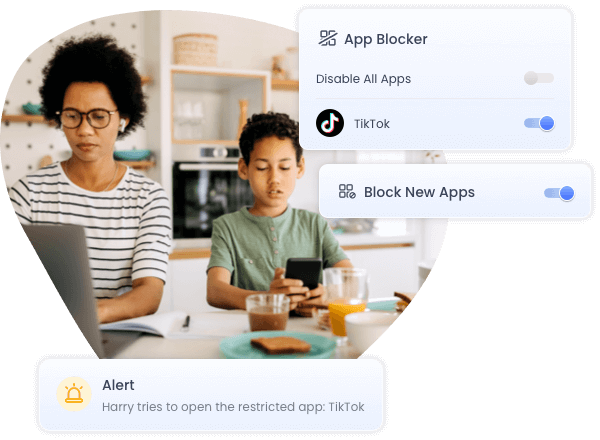 App Blocker & App Limits
Block distracting or age-inappropriate apps instantly, and set daily usage limits to prevent screen addiction.
Parents can pause apps during study or bedtime, restrict specific categories like games or social media, and promote healthier screen habits.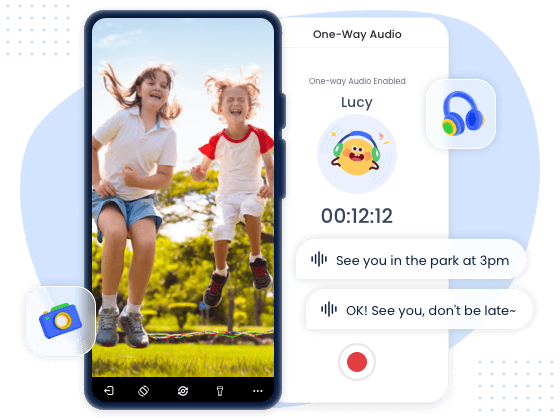 Live Monitor Surroundings
Remote Camera & One-Way Audio allow parents to take a quick look or listen to the surroundings safely.
Helps detect emergencies, unsafe visitors, or suspicious situations without physically intruding.
Comments from AirDroid Parental Control Users







Complete Family Protection in 3 Easy Steps

Get Started
Go to the AirDroid Parental Control web control panel.

Sign Up and Sign In
Register an AirDroid account and sign in on the parent's device.
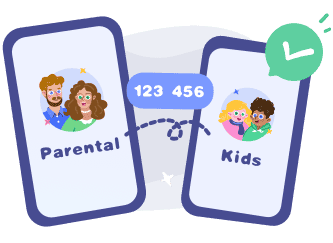
Bind Child's Device
Install the
AirDroid Kids on the kid's phone and input the
binding code to connect both devices.
Start with AirDroid Parental Control to Protect Your Kids Now
Frequently Asked Questions
Can Kids Bypass Airdroid or Net Nanny?
Any parental control app can be bypassed if children have admin access or install VPNs. AirDroid mitigates this with remote monitoring, tamper alerts, and device management controls, while Net Nanny relies heavily on network-level filtering. Strong device supervision and account restrictions help prevent bypassing.
Does AirDroid Work on Both Android and iOS Devices?
Yes. AirDroid supports monitoring on both Android and iOS devices. Android devices get the full feature set, including real-time screen mirroring, remote camera & one-way audio, location tracking, app management, and social content detection.
On iOS, AirDroid can track app usage, screen time, location, and provide activity reports, but real-time screen mirroring and remote camera/audio are not available due to system restrictions.Does AirDroid or Net Nanny affect battery life?
AirDroid may slightly increase battery usage during real-time monitoring or remote camera use, typically around 5–10% daily. Net Nanny’s impact is usually smaller because it primarily monitors traffic and schedules rather than live streaming device activity.
James T.
The content filter in AirDroid is fantastic. My 13-year-old was exploring YouTube and some social apps, and I could see and block inappropriate content before it became an issue. Net Nanny's filters felt slower and less accurate, especially on apps. AirDroid gives me peace of mind without being overbearing.
Sophia L.
The App Limits feature in AirDroid Parental Control is really useful. I can block apps that aren't appropriate for my child and set daily usage limits for each app. This helps control screen time without affecting essential learning apps, making it both convenient and reassuring.
Olivia S.
AirDroid's social media monitoring is a lifesaver. My teen uses Instagram and TikTok daily, and I can see notifications and messages safely.